
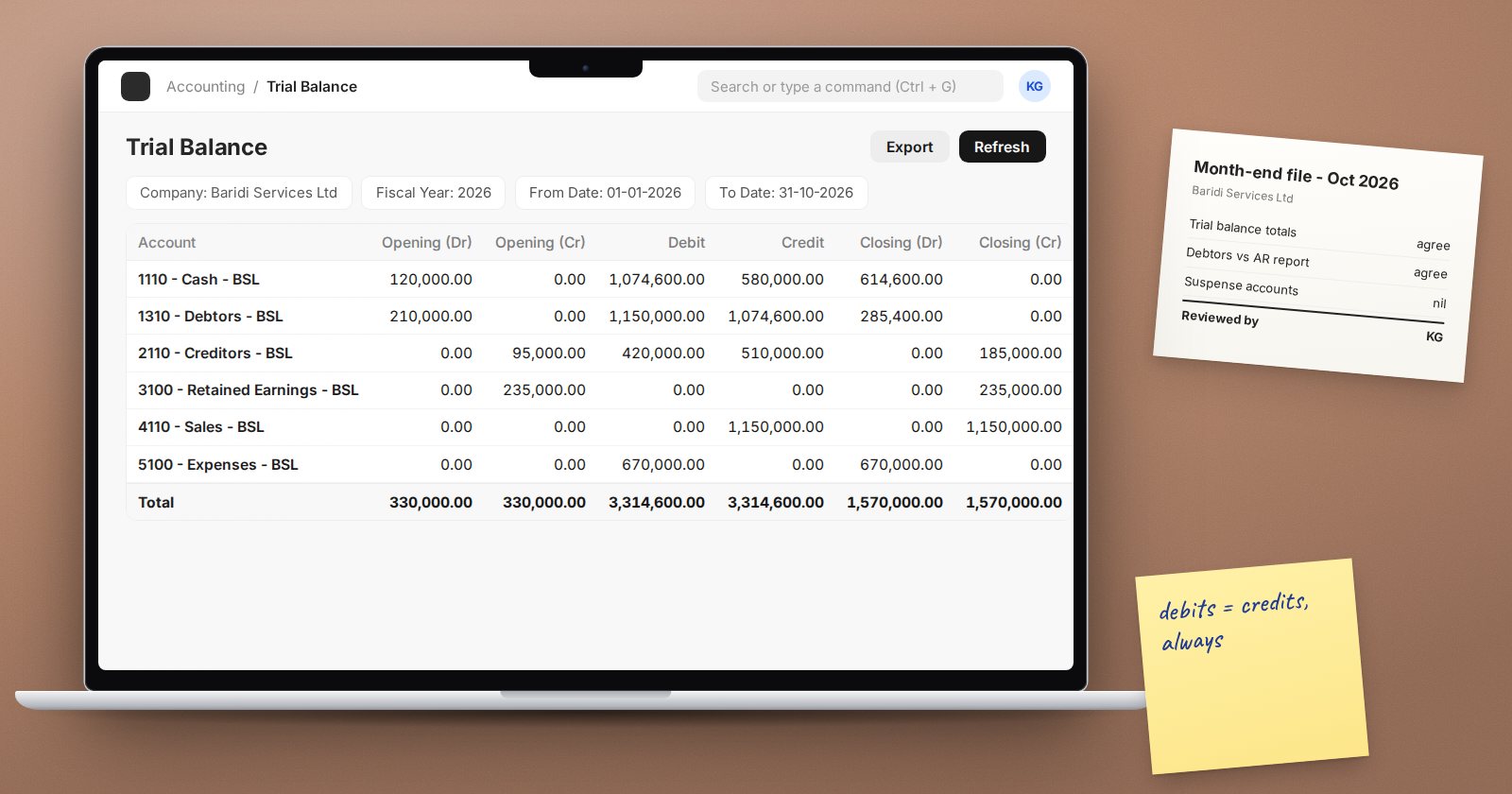
The Trial Balance is the first report most accountants open at month-end and the one auditors ask for first. In ERPNext it is more than a list of balances: its filters decide how opening balances and closing entries are treated, and the wrong combination can make a correct ledger look wrong.
The columns
For each account, ERPNext shows:
- Opening (Dr) and Opening (Cr) - the balance at the start of the period.
- Debit and Credit - movements during the period.
- Closing (Dr) and Closing (Cr) - the balance at the end.
A Total row at the bottom should show equal debits and credits in each pair. The account number and currency appear too.
The filters
- Company, Fiscal Year, From Date and To Date - the dates default to the current fiscal year.
- Cost Center, Project, Finance Book and your accounting dimensions.
- Currency - present the report in another currency.
- Show zero values - include accounts with no balance or movement.
- Show Group Accounts - on by default; untick for a flat list of ledger accounts only.
- Show net values in opening and closing columns - on by default, so each account shows a single net balance on one side. Untick it to see gross debit and credit balances, which is useful for accounts that should only ever have one.
The period closing filters
Two filters concern the Period Closing Voucher, and both are ticked by default:
- With Period Closing Entry For Opening Balances - opening balances include earlier closing entries, so profit from prior years sits in retained earnings where it belongs.
- Period Closing Entry For Current Period - if you have closed the period you are viewing, the closing entry is included in the movements, so income and expense accounts close at zero.
To see a closed year's results before the closing entry, untick the second filter. To prepare a year-end pack, run it both ways.
Unclosed prior-year profit
By default, income and expense accounts start each fiscal year with no opening balance. That is correct if the previous year was closed with a Period Closing Voucher, because the profit has moved to equity.
If a prior year was never closed, that profit is not in equity yet, so the opening debits and credits may not agree. Tick Show unclosed fiscal year's P&L balances to include those balances in the opening columns and make the opening agree. The real fix is to close the earlier year.
Using it in review
- Totals agree. If they do not, look first at the opening columns and the unclosed-year filter before suspecting the ledger.
- Signs make sense. Untick net values and look for receivables with credit balances, payables with debit balances, or cash with a credit balance.
- Control accounts tie. Debtors should equal the Accounts Receivable report total, creditors the Accounts Payable total, and stock accounts the stock value.
- Suspense and temporary accounts should be zero or explainable.
- Drill down. Click an account to open its General Ledger for the same period.
Related reports
- Trial Balance for Party shows opening, movements and closing per customer or supplier, which helps reconcile control accounts.
- Consolidated Trial Balance combines several companies.
- Trial Balance (Simple) gives a lighter view.
If reports look wrong after periods were closed out of order, Accounts Settings has an "Ignore Account closing balance" option, described as for when Period Closing Vouchers are missing or were not posted for all years in sequence. Treat it as a diagnostic step and fix the closing vouchers properly.
Try it
Run the Trial Balance for a closed year with both period closing filters ticked, then untick "Period Closing Entry For Current Period". Note which accounts change and confirm the difference equals the profit moved to retained earnings.
Reading the trial balance and preparing month-end packs are covered in Accounting Essentials and Accounting Professional.
