
When a company car is sold or a broken laptop is thrown away, the asset must leave the books properly. Many teams post a journal crediting the fixed asset account and call it done. The register still shows the asset, depreciation keeps running and the gain or loss is guessed. ERPNext has a proper disposal flow, and it is short.
Before you dispose
Two Company fields must be set, or ERPNext stops you:
- Gain/Loss Account on Asset Disposal
- Asset Depreciation Cost Center
Both sit under Fixed Asset Defaults on the Company. The asset itself must be submitted. An asset already Sold or Scrapped cannot be disposed of again.
Selling an asset
On the submitted Asset, choose Actions > Sell Asset. A dialog asks for Sell Qty:
- For a single asset, enter 1.
- For an asset recorded with a quantity greater than one, such as ten chairs, you can sell part. ERPNext warns that the remaining quantity will be split into a new asset, and that this cannot be undone.
ERPNext then opens a draft Sales Invoice with the asset on the item line. Set the customer, the selling price and the tax your adviser says applies to the sale, then submit.
On submission, ERPNext does three things:
- Posts depreciation up to the sale date, so the asset carries its correct value on the day it leaves.
- Removes the cost and the accumulated depreciation from the books.
- Posts the difference between the book value and the selling price to the Gain/Loss Account on Asset Disposal.
The asset status becomes Sold. The customer is invoiced in the normal way and payment follows through Payment Entry.
Example: a van with cost KES 3,000,000 and accumulated depreciation of KES 1,800,000 has a book value of KES 1,200,000. Sold for KES 1,350,000 before tax, the gain is KES 150,000.
Scrapping an asset
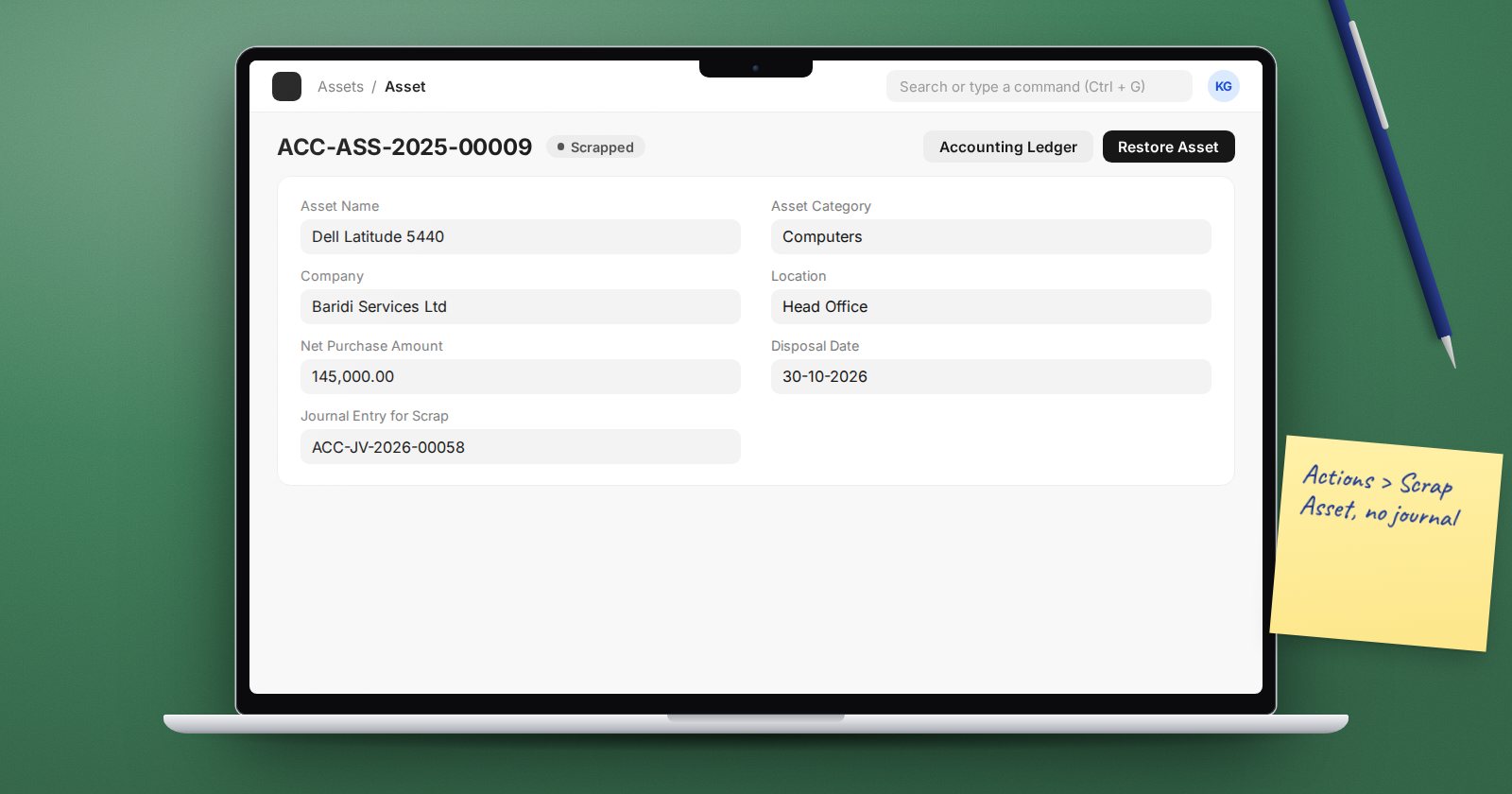
For assets that are written off with no sale, use Actions > Scrap Asset. ERPNext asks you to "Enter date to scrap asset". Future dates are not allowed.
Scrapping posts depreciation up to that date and then creates a journal entry that removes the cost and accumulated depreciation and books the remaining book value as a loss in the disposal account. The journal is linked in the asset's Journal Entry for Scrap field, the Disposal Date is set and the status becomes Scrapped.
Undoing a scrap
Scrapped the wrong asset? A scrapped asset shows Restore Asset. After you confirm "Do you really want to restore this scrapped asset?", ERPNext cancels the scrap journal and rebuilds the depreciation schedule, with a note on the schedule saying it was created when the asset was restored. Do this before the period is closed, because the cancellation touches the original posting date.
Other ways an asset changes
Not every change is a disposal:
- Transfer Asset moves it to a new location or custodian without any accounting.
- Split Asset separates part of a quantity into a new asset.
- Asset Repair and Asset Value Adjustment change its cost or value while it stays in use.
Common mistakes
- Selling an asset through an ordinary item on a Sales Invoice. The asset stays on the register and keeps depreciating.
- Posting a journal to the fixed asset account. The asset record never learns it is gone.
- Leaving the disposal account blank on the Company, so the sale fails at month-end when someone is in a hurry.
- Disposing of assets in a period you have already closed.
Month-end check
Filter the Fixed Asset Register report for Sold and Scrapped assets in the period and agree the total gain or loss with the balance of the disposal account in the General Ledger.
Try it
On a test company, sell one asset at a profit and scrap another. Open each document's accounting ledger and trace every line back to the asset.
Asset disposal and the matching ledger checks are covered in Accounting Professional.
