
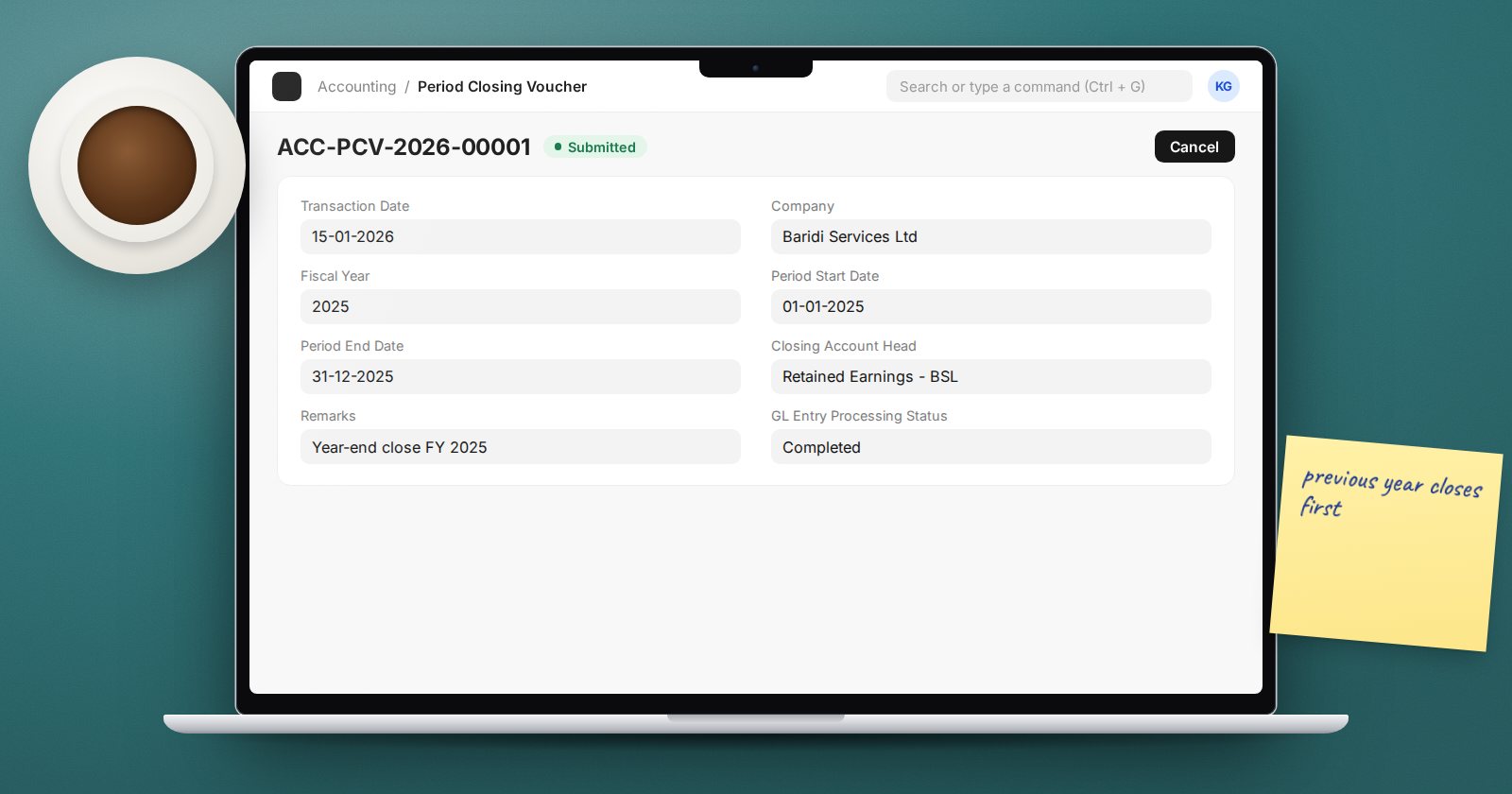
At the end of a financial year, the balances on your income and expense accounts need to move into equity so the new year starts from zero. In ERPNext that is the job of the Period Closing Voucher. It is a short form, but it has firm rules, and once it is submitted it changes what anyone can post.
What the voucher actually does
When you submit a Period Closing Voucher, ERPNext posts entries dated on the Period End Date that bring every Profit and Loss account to zero for the period, and posts the net result to the account you choose as the Closing Account Head. If you use cost centers or other accounting dimensions, the closing entries are split by those dimensions, so dimension-wise balance sheets still work.
It also stores closing balances for each account, which the financial reports use to run faster for later years.
The fields
- Transaction Date - the date you prepare the voucher.
- Company and Fiscal Year.
- Period Start Date and Period End Date.
- Closing Account Head - usually your retained earnings or accumulated profit account.
- Remarks - a short note for auditors.
The rules it enforces
ERPNext checks several things before it lets you submit. Knowing them in advance saves a frustrating afternoon.
- The closing account must be a Liability or Equity account, and its currency must be the company currency.
- The start date is fixed. It must be the fiscal year start, or the day after the end of an earlier Period Closing Voucher in the same year. You cannot leave gaps.
- The previous year must be closed first. If the prior fiscal year has GL entries but no submitted closing voucher, you get "Previous Year is not closed, please close it first".
- The end date cannot pass the fiscal year end.
- You cannot cancel an earlier voucher while a later one exists. Cancel from the latest backwards.
What changes after you submit
Once submitted, ERPNext blocks any accounting entry dated on or before the period end date, with the message "Books have been closed till the period ending on..." This applies to every user. It also stops opening entries from being created at all once a closing voucher exists, so load all opening balances before your first year-end close.
If you later find an error in a closed year, you have two choices: cancel the closing voucher, correct the entry and close again, or post the correction in the new year. Most auditors prefer the second unless the error is material.
Check before you close
Run these before submitting:
- All month-end checks for the final month are complete, including bank reconciliation and revaluation of foreign currency balances.
- The Trial Balance for the full year balances and the profit matches your draft statements.
- No draft documents are dated in the year.
- Adjusting journals from the auditors are posted.
Check after you close
The voucher has a GL Entry Processing Status field. For large ledgers the entries are processed in the background, so wait until it shows Completed. If it shows Failed, the Error Message field explains why.
Then run the Trial Balance again for the closed year. Its filters include "With Period Closing Entry For Opening Balances" and "Period Closing Entry For Current Period", both ticked by default. Untick the second one to see the year's results before closing; tick it to see every P&L account at zero and the profit in your closing account. Finally, run the Balance Sheet for the first day of the new year and confirm retained earnings moved by exactly the year's profit.
A note on monthly closing
Because the start date can follow an earlier voucher in the same year, ERPNext allows closing more often than yearly. Most companies still close once a year and use the Company's Accounts Frozen Till Date to lock months, because that lock can be moved and carries an override role.
Try it
On a test company with a few months of entries, create a Period Closing Voucher for the year to date. Note the start date rule, submit it, then try to post a journal dated inside the closed period.
The Accounting Professional course takes you through a full year-end close, from the last reconciliation to the opening balance sheet of the new year.
