
Most month-end problems in ERPNext are not posting errors. They are things nobody looked at: a draft invoice that never reached the ledger, a payment sitting unallocated, a foreign currency balance still at last quarter's rate. The reports will run and the trial balance will agree, so the gaps stay hidden until audit.
These ten checks take an afternoon once you have done them a few times. Run them in this order, because later checks depend on earlier ones.
1. Clear the drafts
A draft document posts nothing to the General Ledger. Open the list views for Sales Invoice, Purchase Invoice, Payment Entry and Journal Entry and filter on Draft status with a posting date in the month. Each one should be submitted, corrected or deleted. A forgotten draft supplier invoice is a missing expense.
2. Reconcile every bank account
Use the Bank Reconciliation Tool for each company bank account, then run the Bank Reconciliation Statement report for the month-end date. The line "Calculated Bank Statement balance" should equal the closing balance on the bank's own statement. If it does not, look at the "Outstanding Cheques and Deposits to clear" rows first. Do not forget petty cash and mobile money accounts.
3. Allocate unallocated payments and credit notes
Customer receipts posted without an invoice reference, and credit notes that update their own outstanding, leave both the invoice and the payment open. The ageing report then overstates what customers owe. Open Payment Reconciliation for each party with open items and allocate them.
4. Compare the two ledgers
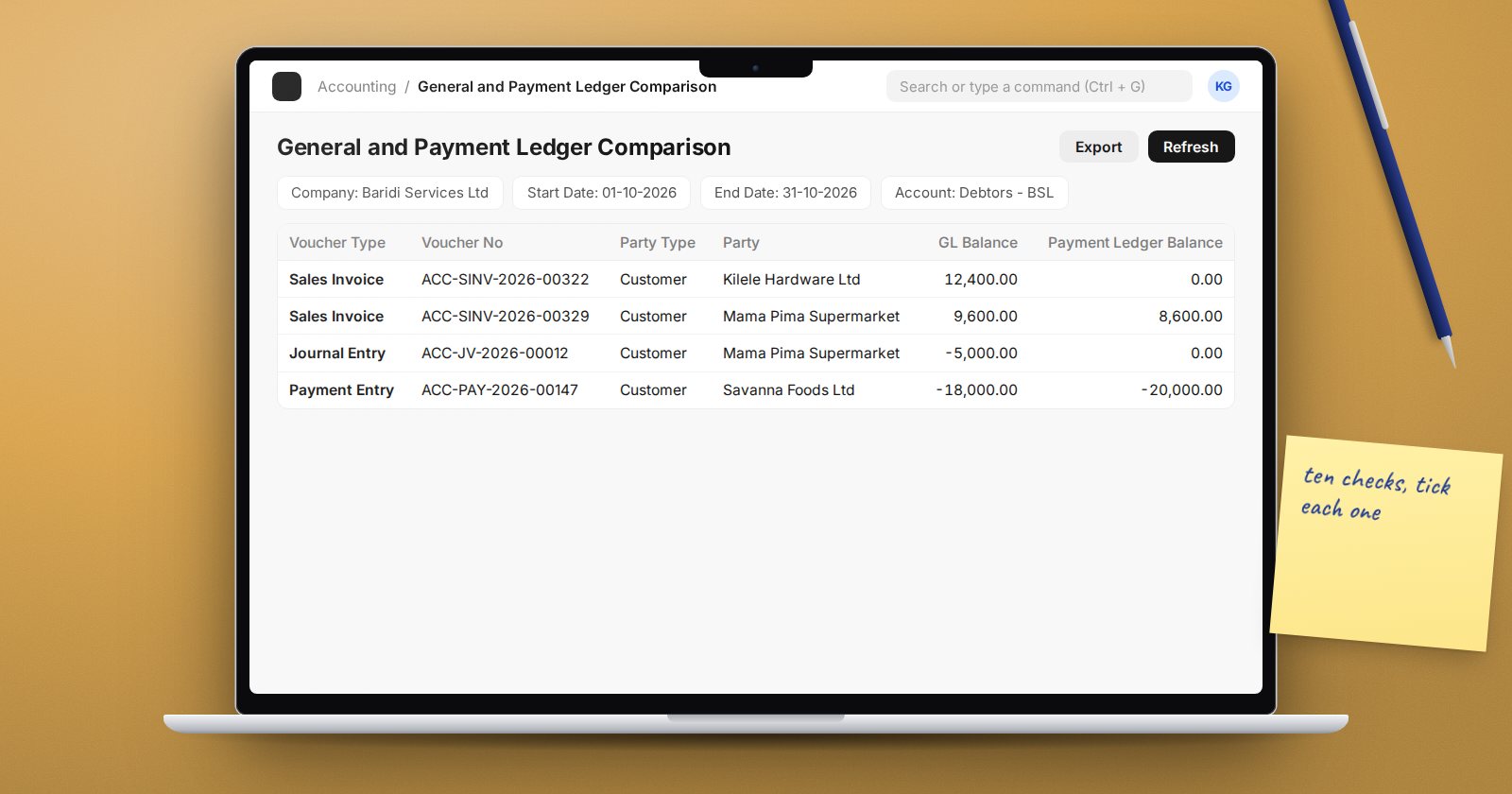
ERPNext keeps receivables and payables in a Payment Ledger alongside the General Ledger. The General and Payment Ledger Comparison report shows where the two disagree for receivable and payable accounts. Also compare the total of the Accounts Receivable report with the debtors balance in the Trial Balance. They should match.
5. Look at goods received but not billed
If stock is received before the supplier invoice arrives, the value sits in the Stock Received But Not Billed account. Run Received Items To Be Billed and chase the old lines. A large, growing balance in that account usually means invoices were booked without linking them to the purchase receipt.
6. Match stock to the accounts
With perpetual inventory, the stock ledger value and the stock accounts should agree. The Stock and Account Value Comparison report shows any difference by voucher. Investigate before you close, not after.
7. Revalue foreign currency balances
If you hold bank accounts, receivables or payables in another currency, create an Exchange Rate Revaluation for the month-end date. It needs the Unrealized Exchange Gain/Loss Account set on the Company. Check the new exchange rates it fetches before you create the journal entries.
8. Confirm deferred entries ran
ERPNext books deferred revenue and expense through a monthly background job, controlled by "Automatically process deferred Accounting entry" in Accounts Settings. Open the Process Deferred Accounting list and confirm a submitted record exists for the month for both Income and Expense. The Deferred Revenue and Expense report shows what is still to be recognised.
9. Explain every suspense balance
Temporary Opening, Round Off and any clearing or suspense accounts you created should either be zero or carry a balance you can explain line by line. Open each in the General Ledger for the month. Unexplained balances here are often mispostings that belong somewhere specific.
10. Lock the month
When the numbers are signed off, stop further changes. On the Company, the Accounts Closing tab has Accounts Frozen Till Date and Roles Allowed to Set and Edit Frozen Account Entries. Entries dated on or before the frozen date are blocked for everyone without that role, including the Administrator user. For finer control, an Accounting Period can close specific document types for a date range.
Month-end checklist
- No drafts dated in the month
- Every bank and cash account reconciled
- Payment Reconciliation run for open parties
- AR and AP agree with the control accounts
- Received Items To Be Billed reviewed
- Stock and Account Value Comparison clean
- Foreign currency balances revalued
- Process Deferred Accounting submitted
- Suspense accounts explained
- Frozen date moved forward
Keep the list as a recurring ToDo or a shared document and tick it every month. The habit matters more than the tool.
If you want to practise these checks on a working company, the Accounting Professional course walks through reconciling, correcting and closing the books step by step.
