
Auditors ask two questions about any accounting system: what stops wrong entries going in, and how can we see what changed? ERPNext answers both with settings that are mostly off or loose by default. This article lists the ones accountants should review, grouped by the risk they address.
Seeing what changed
Document history. Sales Invoice, Purchase Invoice, Journal Entry, Payment Entry and Account all have change tracking enabled. Each form's activity timeline shows who created it, who changed which field and when, and who submitted or cancelled it.
Cancel and amend, not edit. A submitted accounting document cannot be edited. To correct it, you cancel it and amend, which creates a new document linked through Amended From. Nothing disappears; both versions remain, the cancelled one marked as such.
Audit Trail. Frappe includes an Audit Trail tool, available to System Managers. Choose a submittable DocType with change tracking, such as Sales Invoice, and a document that has been amended. It compares the versions in the amendment chain, showing changed fields, and rows added or removed from tables such as items. This is the quickest way to answer "what changed between the original invoice and the amended one?"
Deleted Document. When a document is deleted, Frappe keeps a copy in Deleted Document, viewable by System Managers, with an option to restore it. Restrict delete permissions on accounting documents to very few roles.
Keeping the ledger honest
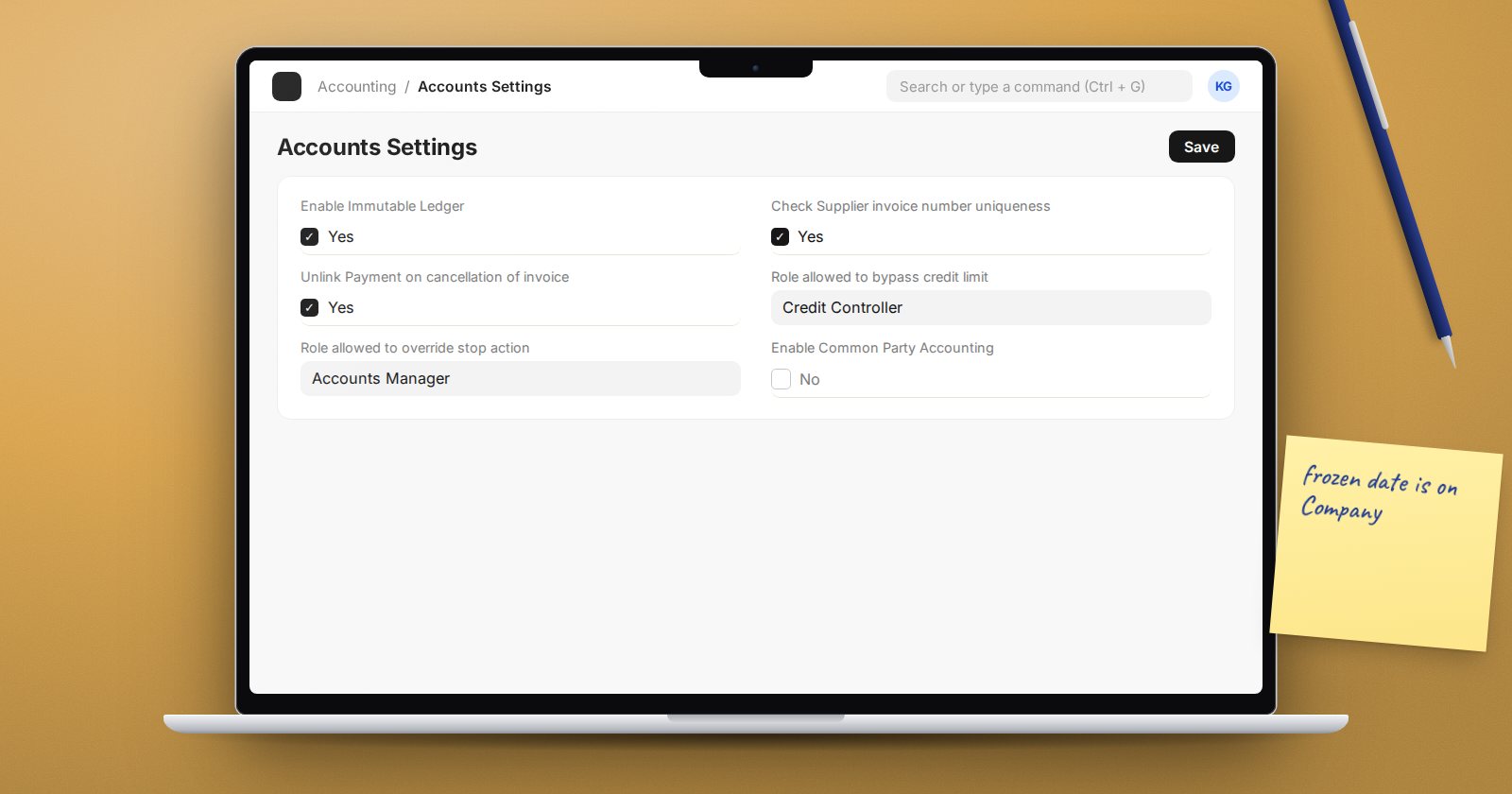
Enable Immutable Ledger in Accounts Settings. The description reads: on enabling this, cancellation entries will be posted on the actual cancellation date and reports will consider cancelled entries as well. Without it, cancelling an old invoice reverses it on its original date, which can change a period you already reported. Discuss with your auditors before switching it on, and turn it on at a period start.
Lock past periods. Use the Company's Accounts Frozen Till Date, Accounting Periods and the Period Closing Voucher, as described in our article on locking closed months.
Stopping bad entries
- Check Supplier invoice number uniqueness - ensures each Purchase Invoice has a unique Supplier Invoice No within a fiscal year. This stops the same bill being entered twice, one of the most common payables errors.
- Credit limits - on the Customer, the Credit Limit table sets a limit per company. ERPNext checks it on sales orders, delivery notes and sales invoices. Role allowed to bypass credit limit in Accounts Settings names who can override, and the Bypass Credit Limit Check at Sales Order option on the customer moves the check later in the process.
- Over Billing Allowance (%) - limits how far an invoice can exceed its order, with Role Allowed to over bill for exceptions.
- Roles and permissions - separate who raises invoices from who approves payments. Most finance teams need clear differences between the Accounts User and Accounts Manager roles, plus workflows for payment approval.
Watching for silent errors
Ledger Health Monitor runs daily checks when Enable Health Monitor is ticked. It can look for Debit-Credit Mismatch in vouchers and Discrepancy between General and Payment Ledger, over the last number of days you set (60 by default), for the companies you list. Problems are logged as Ledger Health records. These conditions should never occur, which is exactly why you want to know if they do.
A control review checklist
- Immutable ledger decided and documented.
- Supplier invoice uniqueness switched on.
- Credit limits set for credit customers, with a named override role.
- Frozen date moved monthly by a named person.
- Delete permission on accounting documents restricted.
- Ledger Health Monitor enabled.
- Audit Trail tried on an amended invoice so you know how to show it to auditors.
Try it
Submit a test invoice, cancel and amend it with a changed rate, then open Audit Trail and compare the two versions. Next, enable supplier invoice uniqueness and try entering the same supplier invoice number twice.
Controls, corrections and audit readiness are covered in the Accounting Professional course.
