
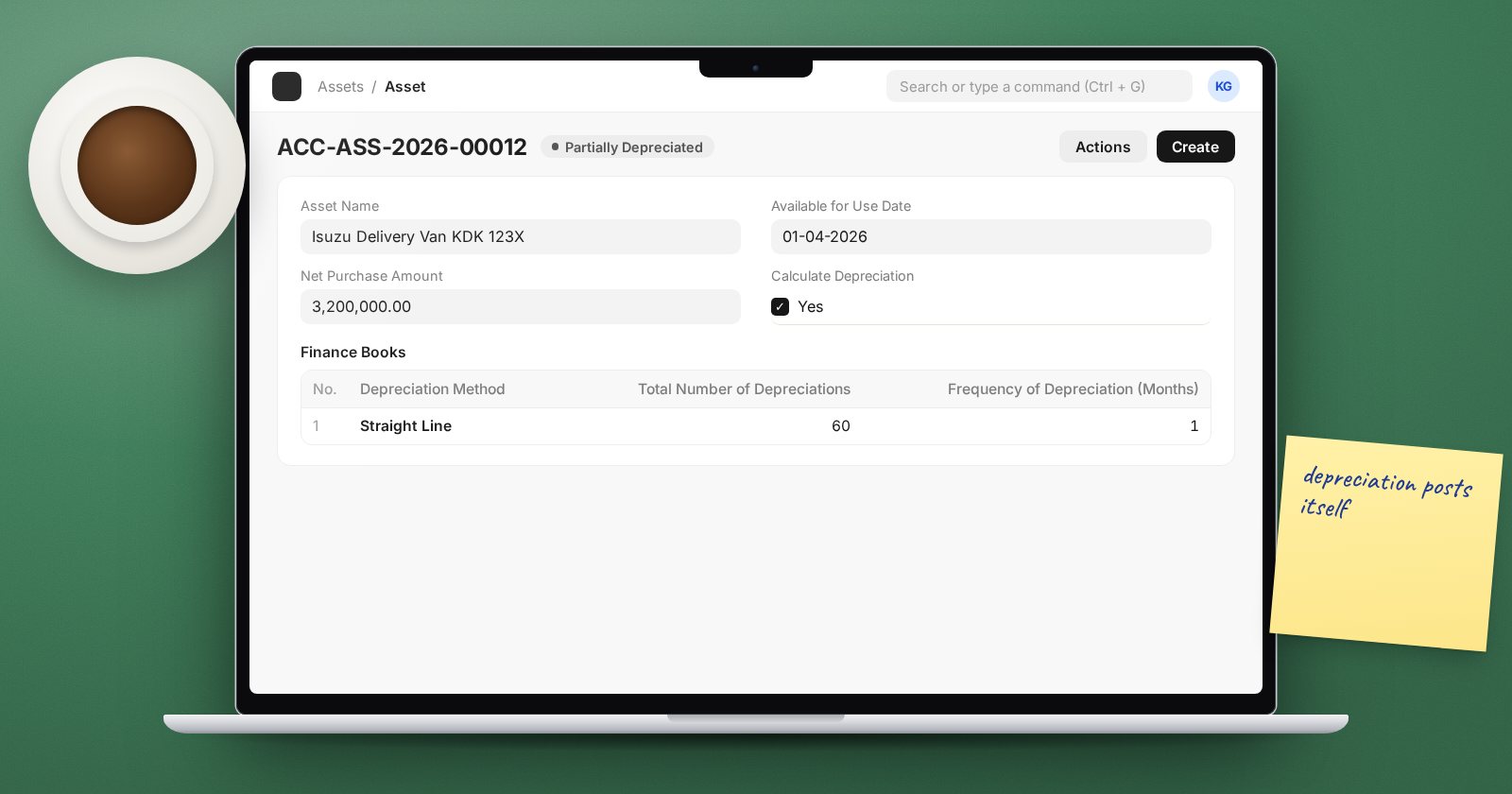
Many businesses keep their fixed asset register in a spreadsheet and post one depreciation journal at year-end. The register drifts from the ledger, nobody can say what a vehicle is worth today, and the auditors rebuild it every year. ERPNext can hold the register and post depreciation itself, but only if the setup is right from the first purchase.
Start with the Asset Category
An Asset Category groups assets that share accounts and depreciation rules, such as Motor Vehicles, Computers or Furniture. In its Accounts table, for each company, set:
- Fixed Asset Account - the balance sheet account for the cost.
- Accumulated Depreciation Account.
- Depreciation Expense Account.
- Capital Work In Progress Account, only if you tick Enable Capital Work in Progress Accounting for long build projects.
The Fixed Asset Account is required. If the two depreciation accounts are blank on the category, ERPNext uses the ones in the Company's Fixed Asset Defaults. That section also holds the Gain/Loss Account on Asset Disposal and Asset Depreciation Cost Center, which disposal and scrapping need, so fill it in either way.
The Finance Books table on the category holds default depreciation settings that new assets copy.
Make the item a fixed asset
Create an Item for the asset type with Is Fixed Asset ticked and the Asset Category set. A fixed asset item cannot be a stock item. If you tick Auto create assets on purchase, ERPNext creates draft Asset records when the Purchase Receipt or Purchase Invoice is submitted, one per unit unless Create Grouped Asset is ticked.
Buy the asset through the normal buying flow so the supplier, cost and tax are recorded once. Then open the draft Asset.
Fill in the Asset
The key fields are:
- Company, Location, Cost Center and, if you track it, Custodian.
- Purchase Date and Available for Use Date. Depreciation starts from the available-for-use date, not the purchase date.
- Calculate Depreciation - tick it, otherwise ERPNext only records the cost.
On the Depreciation tab, each row of the Finance Books table needs:
- Depreciation Method - Straight Line, Double Declining Balance, Written Down Value or Manual.
- Total Number of Depreciations and Frequency of Depreciation (Months). Five years monthly is 60 and 1.
- Depreciation Posting Date - the first date a depreciation entry will be posted.
- Salvage Value, the expected value at the end of its life.
- Rate of Depreciation (%) for Written Down Value.
Example: a delivery van costing KES 3,000,000 with a salvage value of KES 600,000, straight line over 60 months, depreciates KES 40,000 a month.
Save and look at the Depreciation Schedule section before you submit. It shows each schedule date, the depreciation amount and the accumulated amount. If the first month looks odd, check Depreciate based on daily pro-rata, which spreads a part-month by days.
How depreciation gets posted
With Book Asset Depreciation entry automatically ticked in Accounts Settings (the default), a daily job posts a Depreciation Entry journal for every schedule row that has fallen due. Each journal debits the expense account and credits accumulated depreciation, and links back to the asset.
If a posting fails, the Asset shows a "Failed to post depreciation entries" message. Set Role to Notify on Depreciation Failure in Accounts Settings so someone hears about it. The usual causes are a closed accounting period or a missing default account.
For an asset without Calculate Depreciation, there is no schedule. Its Create > Depreciation Entry button opens a journal so you can post depreciation by hand. Use this sparingly; a schedule is easier to audit.
Existing assets at go-live
For assets bought before you started using ERPNext, set Asset Type to Existing Asset. You then enter Opening Accumulated Depreciation and Opening Number of Booked Depreciations, so the schedule continues from where your old system stopped instead of depreciating from the start.
Month-end check
Run the Fixed Asset Register report and compare its totals with the fixed asset and accumulated depreciation balances in the Trial Balance. Asset Depreciation Ledger lists the depreciation posted in the period. If the two disagree, look for a journal posted directly to an asset account.
Try it
Create a Motor Vehicles category, buy one van through a Purchase Invoice, submit the asset with a back-dated available-for-use date and watch the depreciation entries appear.
Asset accounting is part of the Accounting Professional course.
