
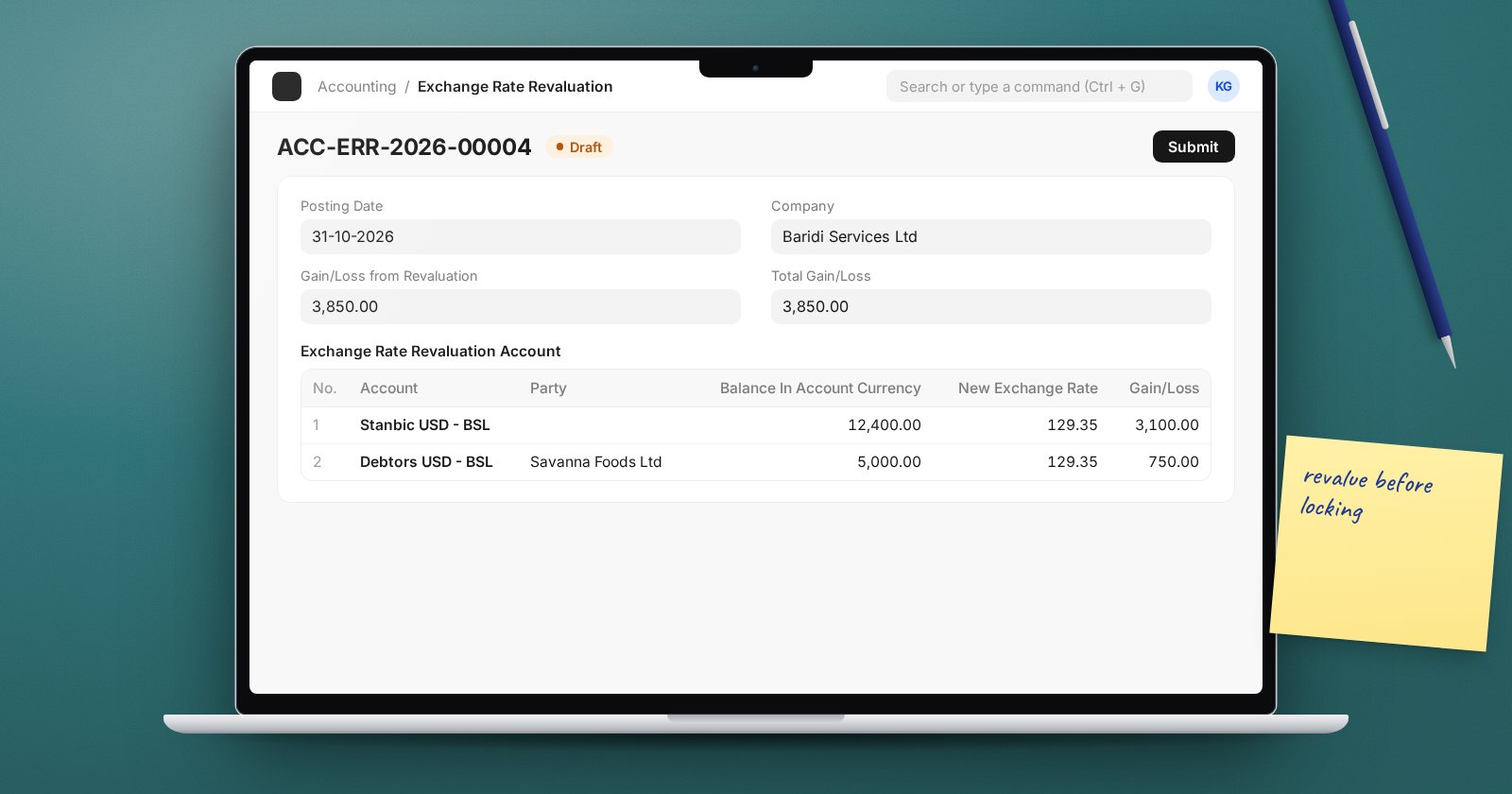
If your company holds money or balances in a currency other than its own, those balances are recorded at the exchange rate on the day of each transaction. By month-end, the rate has moved, and the balance sheet no longer shows what those balances are worth today. Exchange Rate Revaluation fixes that in ERPNext by posting the unrealised gain or loss.
What gets revalued
ERPNext looks at accounts whose Account Currency differs from the company currency. Typically these are:
- foreign currency bank accounts,
- receivable accounts for customers billed in a foreign currency,
- payable accounts for suppliers who bill in a foreign currency.
For party accounts, the revaluation is calculated per party.
Set up once
On the Company, set the Unrealized Exchange Gain/Loss Account. ERPNext refuses to create revaluation entries without it. Keep it separate from the realised Exchange Gain / Loss Account, which receives the differences booked when foreign payments are reconciled against invoices. Auditors usually want the two reported separately.
Next, decide where month-end rates come from. ERPNext looks first at Currency Exchange records, which you can enter for a date and currency pair, and otherwise at the exchange rate service configured in Currency Exchange Settings. For audited accounts, enter the official month-end rate you have agreed with your auditors as a Currency Exchange record, so the result does not depend on a third-party feed.
Running the revaluation
- Open a new Exchange Rate Revaluation.
- Set the Posting Date to the last day of the month and choose the Company.
- Click Get Entries. The table fills with each account and party, showing the balance in account currency, the current rate and balance in company currency, and the New Exchange Rate and resulting Gain/Loss.
- Check every New Exchange Rate. The field is editable, so correct any rate that is wrong.
- Review the totals: Gain/Loss from Revaluation, Gain/Loss already booked and Total Gain/Loss.
- Submit, then use Create > Journal Entries.
The journal created has the Entry Type Exchange Rate Revaluation. If any account has a zero balance in one currency but not the other, ERPNext creates a separate Exchange Gain Or Loss journal to clear it, and the Zero Balance column flags those rows.
Small rounding differences
The Rounding Loss Allowance field, 0.05 by default, sets a tolerance for tiny balances left over from rounding. Values must be between 0 and 1. Leave it alone unless you understand why you are changing it.
Automatic revaluation
The Company also has Auto Create Exchange Rate Revaluation, with a Frequency of Daily, Weekly or Monthly and a Submit ERR Journals? option. It is convenient, but for month-end accounts you still need to check the rates used. Many teams keep it off and run revaluation by hand as part of closing.
Check the result
- Run the General Ledger for the unrealised gain/loss account and confirm the posting matches the document total.
- Run the Balance Sheet with presentation in company currency and compare foreign bank balances with the statement balance converted at your month-end rate.
Common mistakes
- Revaluing with a rate fetched automatically for the wrong date.
- Pointing unrealised and realised gains to the same account.
- Forgetting accounts whose currency was left blank when they were created. They take the company currency and are never revalued.
Try it
Create a foreign currency bank account in a test company, post a receipt into it, add a Currency Exchange record for month-end at a different rate, and run a revaluation. Then post a second receipt and run it again to see Gain/Loss already booked.
Foreign currency and month-end revaluation are part of the Accounting Professional course.
