
Linux for ERPNext: Foundations
Start from zero - understand what servers and Linux really are, navigate the file system, manage users, services, and keep systems healthy.
Part of ERPNext Developer learning path
What You'll Learn
- ✓Navigate the Linux filesystem, understand directory hierarchy and permissions
- ✓Create, move, copy, and delete files and directories from the command line
- ✓Understand and modify file permissions and ownership (chmod, chown)
- ✓Manage Linux users and groups relevant to the frappe/erpnext setup
- ✓Install and update software packages using apt
- ✓Read and interpret system logs to diagnose ERPNext errors
- ✓Manage processes: start, stop, check status, and kill stuck processes
- ✓Connect to remote servers securely via SSH, including key-based authentication
- ✓Use screen or tmux to manage long-running sessions
Course Content
15 lessons when complete · 3 live now
- 1Linux for ERPNext: What a Server Really IsLive
Understand what a server does, how it differs from a laptop, and why businesses run ERPNext on Linux.
- 2What Linux Really IsLive
Learn what Linux and Ubuntu LTS are, and why they quietly run most of the world's servers.
- 3Understanding Files, Folders & Ownership in LinuxLive
Find your way around the Linux directory tree and see who owns each file and why it matters.
- 4Coming
Users, Groups & Permission Logic
Read and change permissions with chmod and chown, and set up the frappe user and its groups correctly.
- 5Coming
Why Servers Break
Recognise the common causes of server failure: full disks, low memory, bad updates and human error.
- 6Coming
Moving Safely Around Linux
Connect over SSH with keys, then create, copy, move and delete files without costly mistakes.
- 7Coming
How Linux Controls Power
Understand root, sudo and processes, and how to check, stop or kill a stuck program safely.
- 8Coming
Installing, Updating & Removing Software Safely
Use apt to install, update and remove packages, and know what to check before upgrading a live server.
- 9Coming
Understanding Services, Ports & Background Programs
Manage services with systemctl, see which ports are in use, and keep long jobs alive with tmux or screen.
- 10Coming
How to Read Logs
Use journalctl and the files under /var/log to trace what went wrong and when.
- 11Coming
Protecting Your Server from Accidental Damage
Avoid the commands and habits that destroy data, and add simple safeguards before risky changes.
- 12Coming
Understanding Firewalls & Ports
Open only the ports you need with ufw and confirm what the outside world can reach.
- 13Coming
Basic Backup Logic
Learn what to back up, how often, and why a backup only counts once you have restored it.
- 14Coming
How to Safely Restart, Shutdown & Recover a Server
Restart or shut down cleanly, and bring back a server that will not boot or respond.
- 15Coming
Understanding Storage & Disk Health
Check space with df and du, find what is filling a disk, and spot failing storage early.
About This Course
ERPNext runs on Linux. If you administer, deploy, or troubleshoot ERPNext servers and you don't know Linux, you are operating blind. This course changes that.
Designed specifically for ERPNext professionals - not general Linux courses - this module teaches you exactly the Linux knowledge you need to work with a Frappe bench environment confidently. You'll stop copying commands from Stack Overflow without understanding them and start knowing what you're doing.
From navigating the file system to managing services, from reading logs to setting up SSH keys - every lesson is tied directly to real ERPNext administration scenarios. No filler, no theory for theory's sake.
Prerequisites
- •Basic computer literacy
- •Access to a Linux server or VM (Ubuntu 22.04 or 24.04 LTS)
- •No prior Linux experience required
Who This Course Is For
- →ERPNext administrators responsible for managing the server
- →IT staff who have been handed an ERPNext server without Linux training
- →Developers setting up local development environments
- →Consultants who want to handle basic server issues independently
One-time enrollment · lifetime access
12 more lessons are being recorded. You get every new lesson as it is added.
Early-bird price: 46% off today. The price goes up a little with every new lesson and reaches the full price when the course is complete, so the sooner you join, the less you pay.
This course includes
- ⏱About 7h 30m of video when complete
- 🎬15 lessons, 3 live now
- ♾️Full lifetime access
- 📱Access on all devices
- 🏆Certificate of completion
Your Instructor
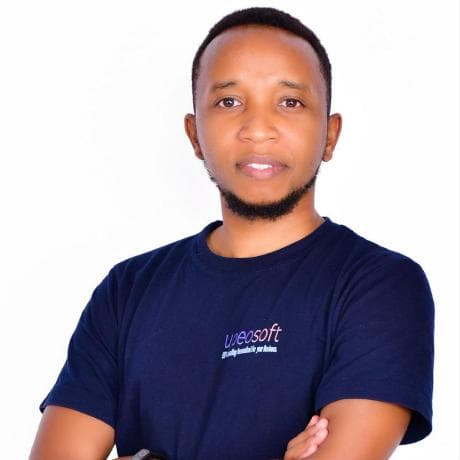
Karani Geoffrey
ERPNext Architect & Implementation Consultant · 17+ Years in ERP
Karani Geoffrey is the founder of UPEO Academy and a leading authority on ERPNext implementation in East Africa. With over 17 years of hands-on experience deploying ERP systems across manufacturing, healthcare, retail, and financial services, Karani has guided hundreds of organisations through complex digital transformation journeys.
He is a certified Frappe/ERPNext developer and has built custom Frappe applications for multinational clients. His practical, no-nonsense teaching style bridges the gap between business strategy and technical execution - helping learners not just understand ERPNext, but master it.