
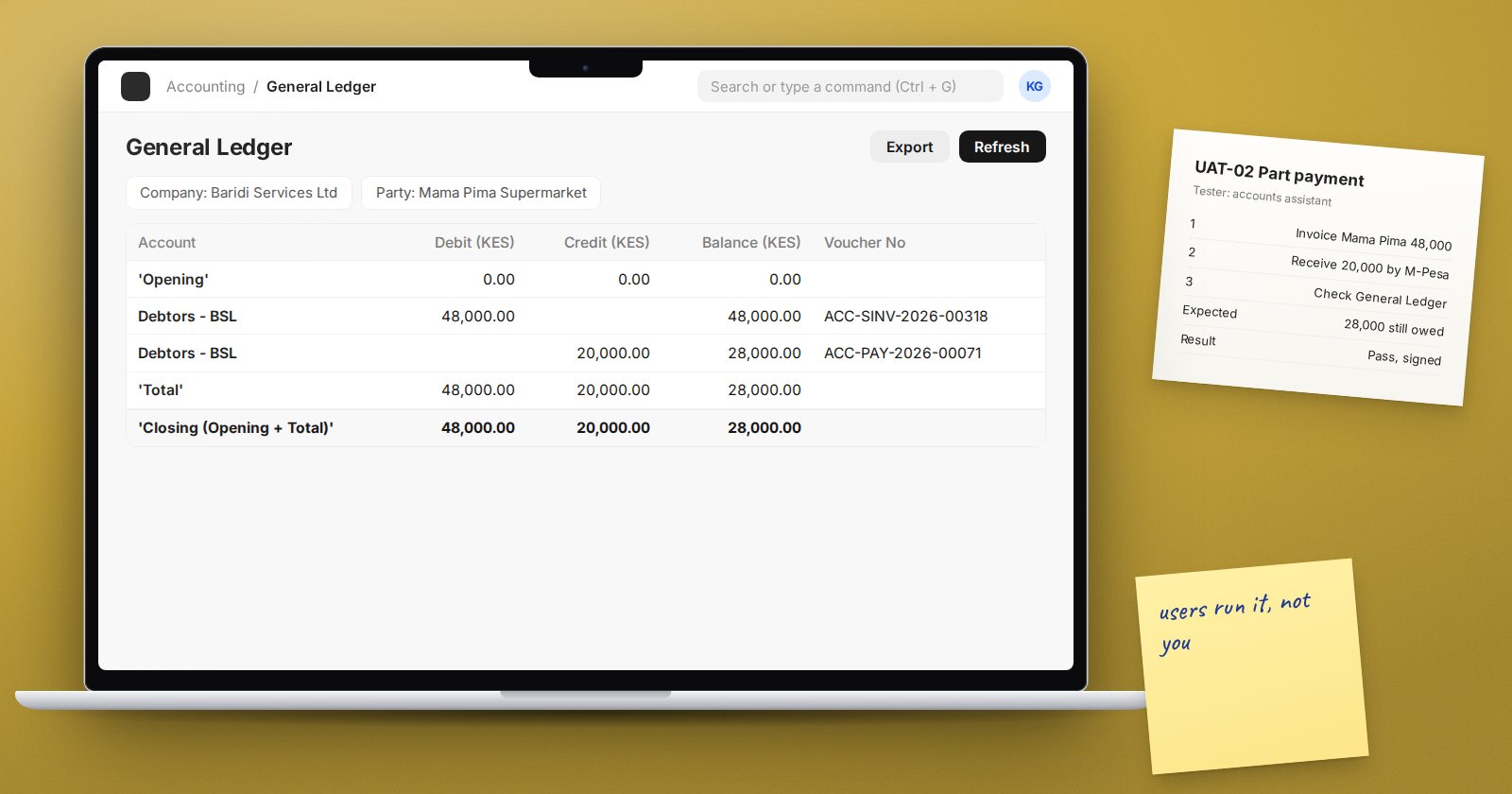
User acceptance testing, or UAT, is where the business confirms that ERPNext, as configured for them, does what they need. It is not the consultant checking their own work. It is the people who will use the system running their real processes and agreeing, in writing, that they work.
Good UAT catches problems while they are still cheap to fix. Weak UAT pushes them into the first weeks of live use.
When to start
Begin UAT when configuration is complete, master data is loaded on a test copy and users have had their role training. If users have never seen the system before UAT, they will spend the time learning screens instead of testing.
Write scenarios from the process maps
Each test scenario should follow a real business process from start to finish, not a single screen. For example:
- A customer orders three items, one is out of stock, the rest are delivered and invoiced, and the customer pays part of the invoice
- A purchase above the approval limit is raised, rejected, revised, approved, received short and invoiced
- A customer returns damaged goods and receives a credit note
For each scenario, write the starting conditions, the steps, the expected result and where to check it, such as the General Ledger, stock balance or the customer's outstanding amount.
Include the awkward cases. Returns, partial deliveries, cancellations, price changes and payments in another currency are where defects usually hide.
Test as the real user
Every tester should log in with their own account and the role they will have after go-live. Testing as Administrator hides permission problems, which then appear on day one. Check that each user sees what they need and nothing they should not.
If you use workflows for approvals, test them with the actual approvers. A workflow that only one person in the project understands is not ready.
Log every issue in one place
Use one shared log for the whole UAT period. For each issue, record:
- Scenario and step
- What was expected and what happened
- Who found it and when
- Severity: blocks go-live, must fix soon, or minor
- Owner and status
- Retest result and date
Separate genuine defects from new requests. "The tax is calculated wrongly" is a defect. "Could the invoice also show the salesperson's photo?" is a change request and goes to the change process, not the UAT log.
Retest and sign off
When a fix is made, the person who found the issue retests it. Fixes sometimes break something nearby, so rerun the full scenario, not only the failing step.
Sign-off should come from the process owner for each area. A simple statement that the listed scenarios were tested and passed, with any accepted minor issues listed, is enough. Do not go live on a verbal "it looks fine".
Common UAT mistakes
- Testing with Administrator instead of real user roles
- Only testing the happy path
- Letting the consultant run the tests on behalf of users
- Mixing change requests into the defect log
- Fixing issues without retesting the full scenario
- Starting UAT on data that has not been cleaned
Checklist
- Scenarios written from process maps, including exceptions
- Each scenario has an expected result and a place to verify it
- Testers use their own logins and real roles
- One shared issue log with severity and owner
- Every fix retested by the person who found it
- Written sign-off from each process owner
UAT is one stage in a longer journey from requirements to go-live. The ERPNext Implementation Consultant course shows how testing links back to requirements and forward to cutover.
