
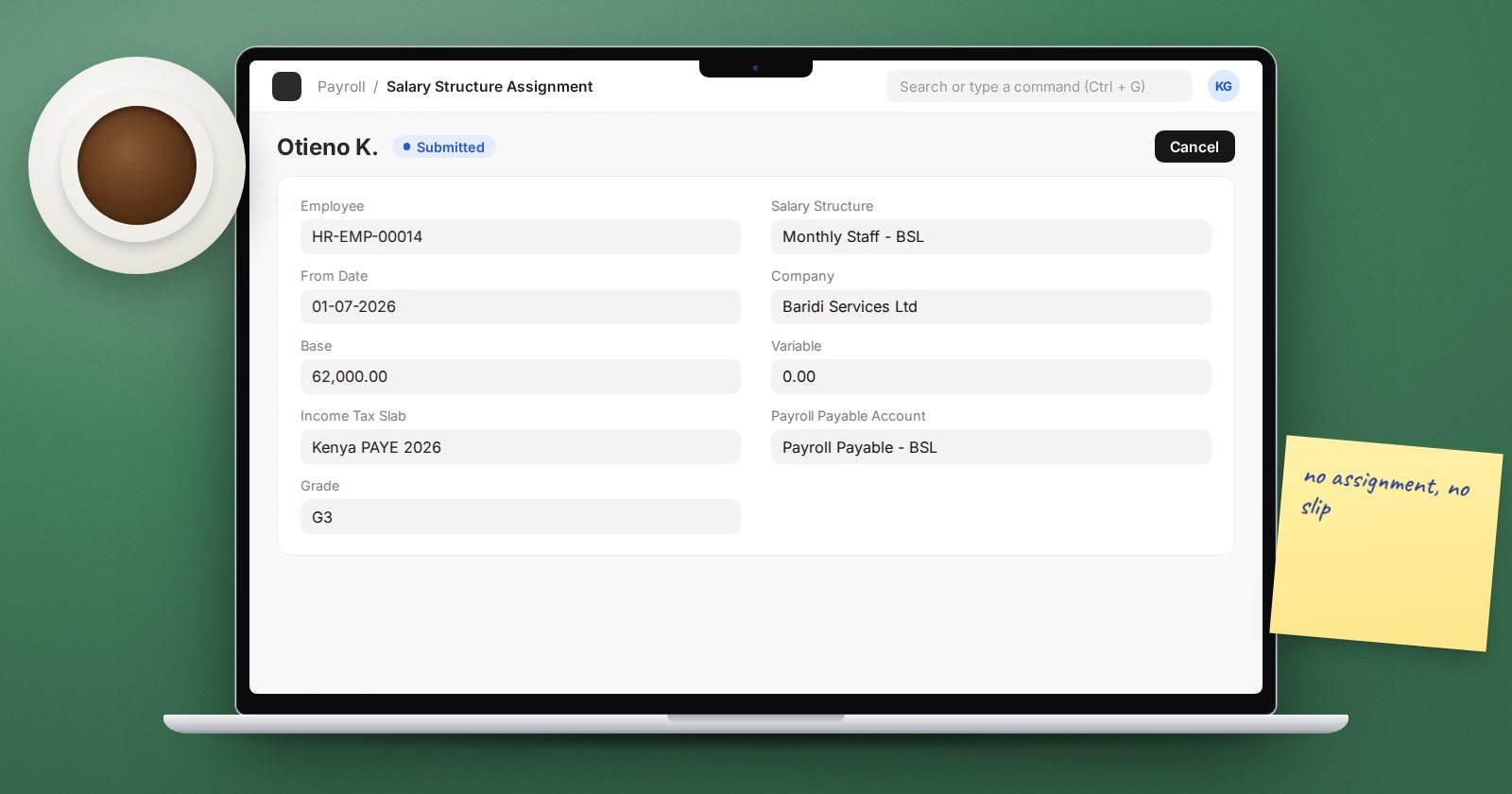
A Salary Structure is a template: which components apply and how they are calculated. On its own it pays nobody. The Salary Structure Assignment is what connects a structure to an employee, with that employee's own figures and an effective date. If payroll says "no salary structure assigned", this is the missing piece.
The fields that matter
- Employee and Salary Structure - who, and which template.
- From Date - when this assignment takes effect. It cannot be before the employee's joining date or after their relieving date.
- Base - the main figure your formulas read as
base. In most structures this is the agreed monthly pay or the basis for it. - Variable - a second figure formulas can read as
variable, useful for a performance or variable element. - Income Tax Slab - the slab used if the structure has a tax component based on taxable salary. Its currency must match.
- Payroll Payable Account - the liability account net pay is credited to until paid. It must be an account of type Payable.
- Cost Centers - how this person's salary cost is split. More on this below.
The structure itself must be submitted and belong to the same company.
Creating assignments
From a submitted structure, the Create menu offers:
- Single Assignment - opens a new assignment pre-filled with the structure.
- Bulk Assignments - opens the Bulk Salary Structure Assignment tool, which lets you filter employees and assign the structure with a from date in one go, setting base and variable per employee.
- Income Tax Slab - shortcut to create a slab if you need one.
Data Import also works well for initial loads from a spreadsheet, as long as the structure exists and is submitted first.
Pay rises and changes
Never edit the base on an old assignment to give a raise. Instead, create a new assignment with a new From Date. ERPNext picks the assignment in effect for each payroll period, so history stays correct and old payslips can be reproduced.
ERPNext stops you creating a second assignment for the same employee on the same from date. If a rise was entered wrongly, cancel the wrong one and create it again.
Cost center splits
When an assignment is created, the Cost Centers table is filled from the Payroll Cost Center on the employee, or failing that, on the department, at 100 percent. If someone's time is shared, for example between two branches, add rows with percentages. They must add up to 100. These splits drive which cost centers the salary expense posts to in the payroll journal.
Mid-period joiners and leavers
The from date only says which structure applies. Proration for a partial month comes from payment days on the salary slip and the Depends on Payment Days setting on components. You do not need a special assignment for someone who joined mid-month.
A go-live checklist
- Every active employee has exactly one current assignment.
- Base figures match the approved salary list, checked by a second person.
- Payroll payable account and tax slab are set where needed.
- Cost centers are correct for anyone whose cost is split.
- A draft payroll run for one month gives the expected totals.
Try it
Assign a test structure to an employee from the start of last month, then create a second assignment with a higher base from the start of this month. Create draft slips for both months and confirm each uses the right base.
Structures, assignments and payroll runs are covered in order in the Payroll course.
