
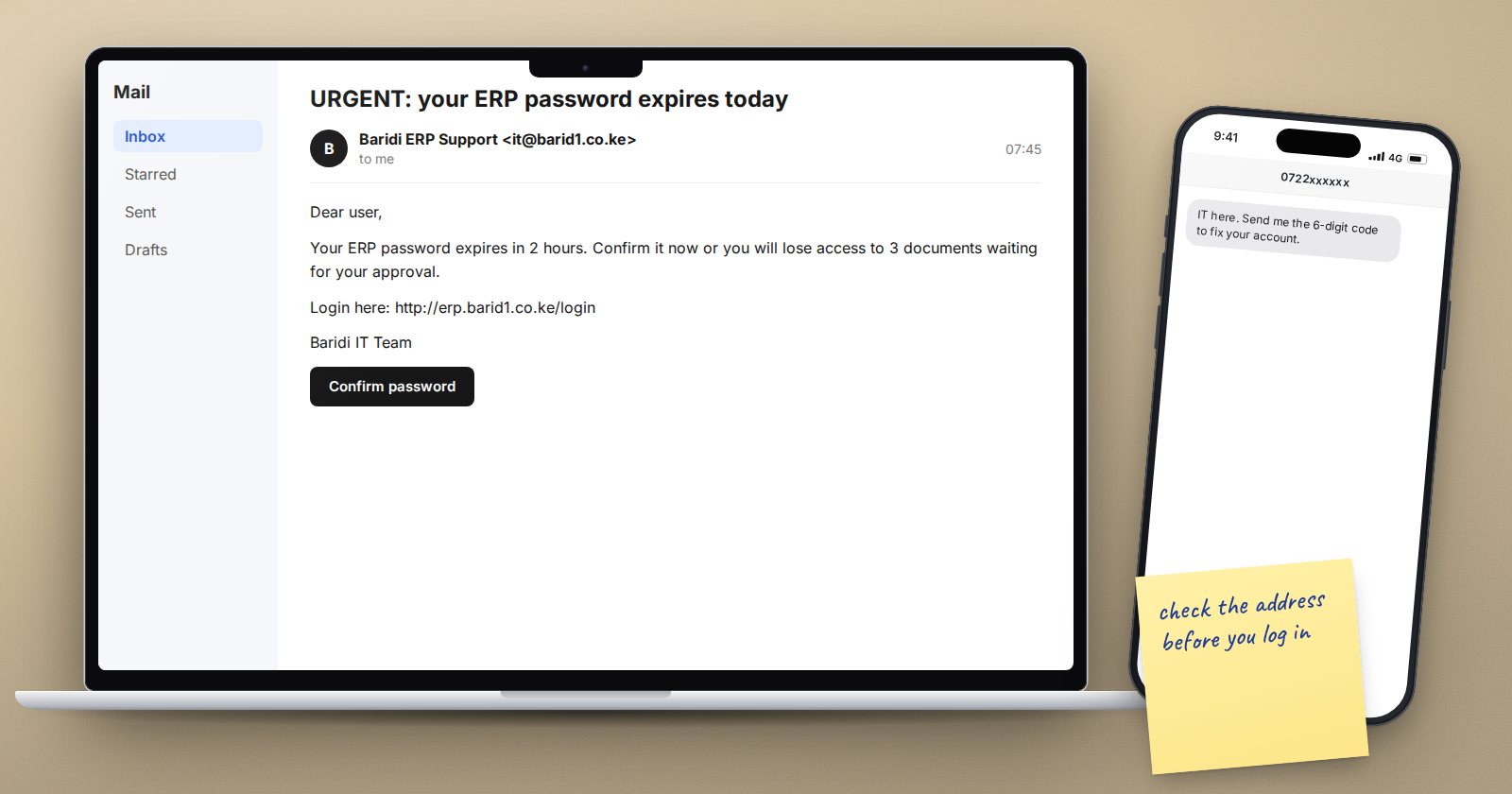
The easiest way into an ERP system is often not a technical attack. It is an email that persuades a busy person to type their password into the wrong page, or to change a supplier's bank account. This article is for every ERPNext user, not only the IT team. Share it with your staff.
What phishing looks like for ERP users
Fake login pages. An email says your ERPNext password is expiring, or a document is waiting for your approval, with a link. The link opens a page that looks exactly like your ERPNext login, on a different web address. Whatever you type goes to the attacker.
Supplier bank detail changes. An email that appears to come from a regular supplier says they have changed banks and asks you to update their account before the next payment. The email may come from a lookalike address, or from the supplier's real mailbox if it has been hacked.
Urgent payment requests. A message that appears to come from a director asks finance to make an urgent, confidential payment today.
Requests for codes. Someone calls or messages claiming to be from IT support and asks for the six-digit code from your authenticator app or SMS "to fix your account".
Habits that stop most of it
- Type or bookmark your ERPNext address. Log in from a saved bookmark, not from links in emails. If an email says something is waiting for you, open ERPNext yourself and look.
- Check the address bar. Before typing a password, read the web address. A lookalike domain with one letter changed is a classic trick.
- Never share codes. Real IT staff never need your password or your 2FA code. Anyone asking for them is not helping you.
- Verify bank detail changes by phone, using a number you already have on file, never a number from the email asking for the change. Get a second person to approve the change in ERPNext.
- Slow down on urgency. Pressure and secrecy are warning signs. A real director will wait ten minutes while you confirm.
- Report, don't delete. Forward suspicious messages to whoever handles security, then delete them. One report can protect the whole team.
Login links and reset emails
ERPNext can send real emails too: password reset links and, when Login with email link is enabled in System Settings (it is on by default in the current version), one-time login links. These only arrive when you asked for them. If you receive a reset or login email you did not request, do not click it. Report it.
Because login by email link exists, the security of each person's mailbox is part of ERPNext security. Strong email passwords and 2FA on email accounts matter.
Settings that help
Administrators can support good habits with a few settings:
- Two-factor authentication in System Settings means a stolen password alone is not enough.
- Show External Link Warning in System Settings can be set to "Ask" or "Always", so ERPNext shows a warning before users follow a link to another website from inside the desk.
- Logout All Sessions on Password Reset, on by default, ends any session an attacker may have opened when the user resets their password.
- Track Changes on the Supplier DocType keeps a record of who changed bank details and when.
If you clicked
It happens to careful people too. Act quickly:
- Change your ERPNext password straight away, and your email password if it was the same.
- Tell your administrator, who can end all your sessions and review recent activity.
- If any payment details were changed, tell finance immediately so payments can be checked before they go out.
Speed matters more than embarrassment. Organisations should make reporting easy and blame-free, or people will hide mistakes.
Phishing awareness checklist
- [ ] ERPNext opened from a bookmark, not email links
- [ ] Web address checked before typing a password
- [ ] 2FA codes never shared with anyone
- [ ] Bank detail changes verified by phone and approved by a second person
- [ ] Unrequested reset or login emails reported
- [ ] Staff know who to tell, and that reporting is blame-free
- [ ] 2FA and external link warnings considered by the administrator
Administrators can learn the settings behind these protections in our ERPNext Administration Without Code course.
