
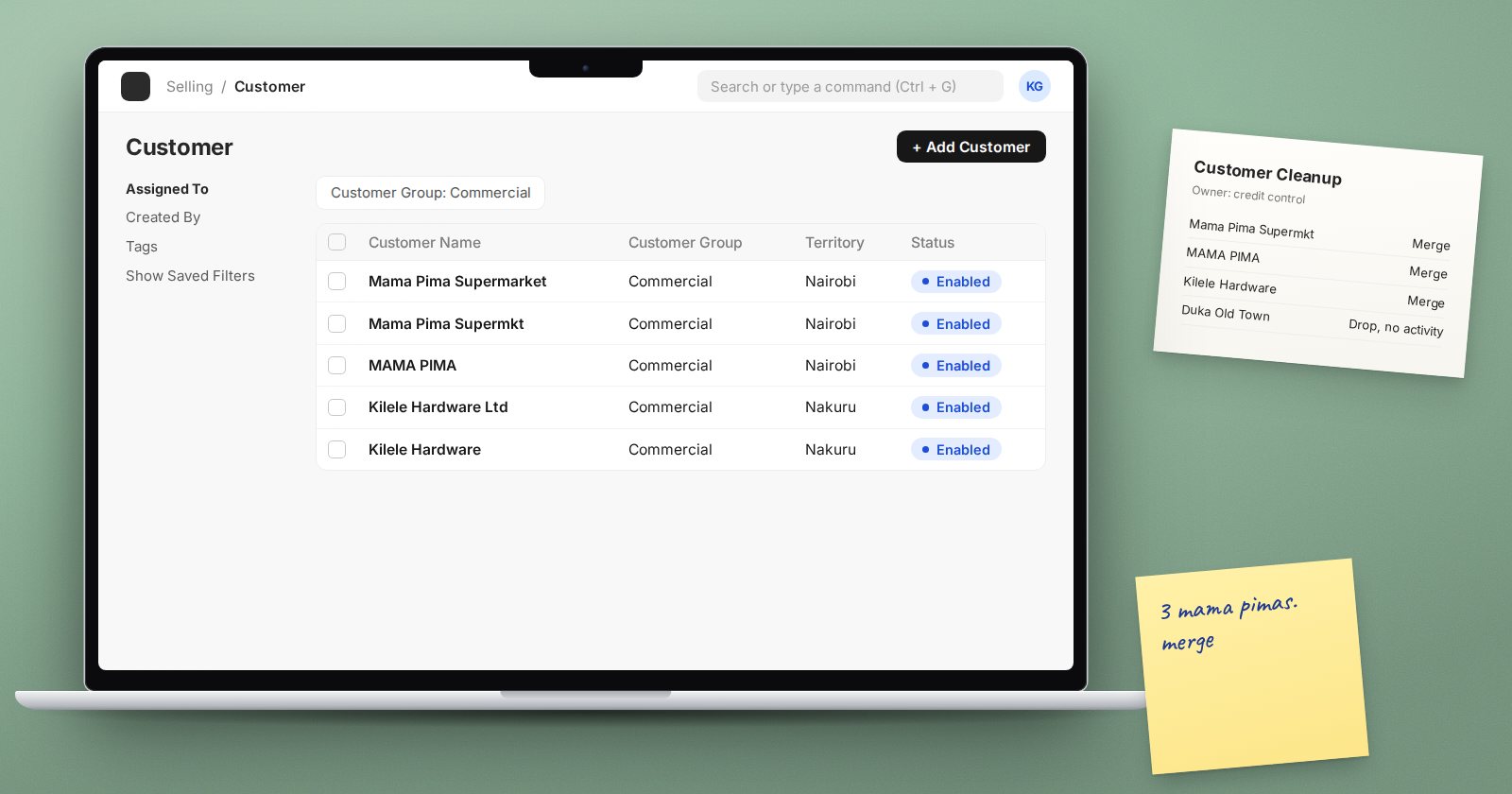
Every ERP project inherits data from somewhere: an old accounting package, spreadsheets, a point of sale system or all three. That data has been collecting duplicates, spelling variations and abandoned records for years. If you load it as it is, ERPNext will faithfully reproduce the mess. Cleaning master data before migration is slow, unglamorous work, and it is one of the best investments in the whole project.
Why master data matters so much
Master data is the information that transactions point to: customers, suppliers, items, warehouses, accounts and price lists. A sales invoice is only as good as the customer and items on it. If one customer exists three times, their balance is split three ways. If an item has the wrong unit of measure, every stock movement is off.
Fixing a duplicate before go-live takes minutes. Fixing it after hundreds of transactions point to both copies is a much bigger job.
Give each list an owner
Before any cleaning starts, name one person in the business who owns each list:
- Customers, usually sales or credit control
- Suppliers, usually purchasing or accounts payable
- Items, usually stores, purchasing or production
- Chart of accounts, always finance
The owner makes the final decisions on merges, names and groupings. The consultant advises; the business decides.
Cleaning customers and suppliers
- Remove the dead. Exclude parties with no activity for a long period and no open balance. Agree the cut-off with the owner.
- Find duplicates. Sort by name, phone, email and tax ID. Look for small variations such as "Ltd" against "Limited".
- Standardise names. Decide one style and apply it.
- Fill key fields. Tax ID, primary contact, billing address, payment terms, currency.
- Assign groups. Customer groups, supplier groups and territories should exist and be used consistently, since reports filter on them.
Cleaning items
Items need the most attention, because errors flow into stock valuation and costing.
- One code per real item. Merge duplicates and decide on a code format before loading.
- Item groups that mean something. Build a short, logical tree that supports reports and pricing, not a copy of every category in the old system.
- Units of measure. Confirm the stock unit and any purchase or sales units with their conversion factors.
- Stock or non-stock. Decide which items are maintained in stock and which are services or expenses.
- Batch and serial tracking. Decide now. Changing this later is far harder.
- Default warehouses and accounts. Set them at item or item group level so transactions pick up the right defaults.
Working method
- Export each list from the old system into one master spreadsheet
- Add columns for "keep", "merge into" and "notes"
- Let the owner review and decide in that file
- Only build the ERPNext import template from the cleaned version
- Keep the cleaned spreadsheet as a record of decisions
Freeze new records near cutover
As go-live approaches, creating new customers, suppliers or items in the old system should go through one person, and each new record should be added to the cleaned file as well. Otherwise you will clean the data twice.
Checklist
- Each master list has a named owner
- Inactive records agreed and excluded
- Duplicates merged and names standardised
- Groups, territories and units confirmed
- Batch and serial decisions made for every tracked item
- Import templates built only from the cleaned files
- New records controlled during cutover
The Customers, Suppliers & Items course explains how each of these records works in ERPNext, which makes cleaning decisions far easier to get right.
