
Kenyan payroll carries several statutory items: PAYE, NSSF contributions, SHIF and the Affordable Housing Levy. Their rates, bands and caps are set by law and change from time to time, sometimes mid-year. The worst payroll setups bury those figures inside dozens of formulas. A good setup keeps every rate in one obvious place, so a change in the law is a ten-minute update, not a rebuild.
This article deliberately does not list rates. Always take current figures from the official sources: kra.go.ke for PAYE and the housing levy, nssf.or.ke for NSSF and sha.go.ke for SHIF.
Principle 1: one component per statutory item
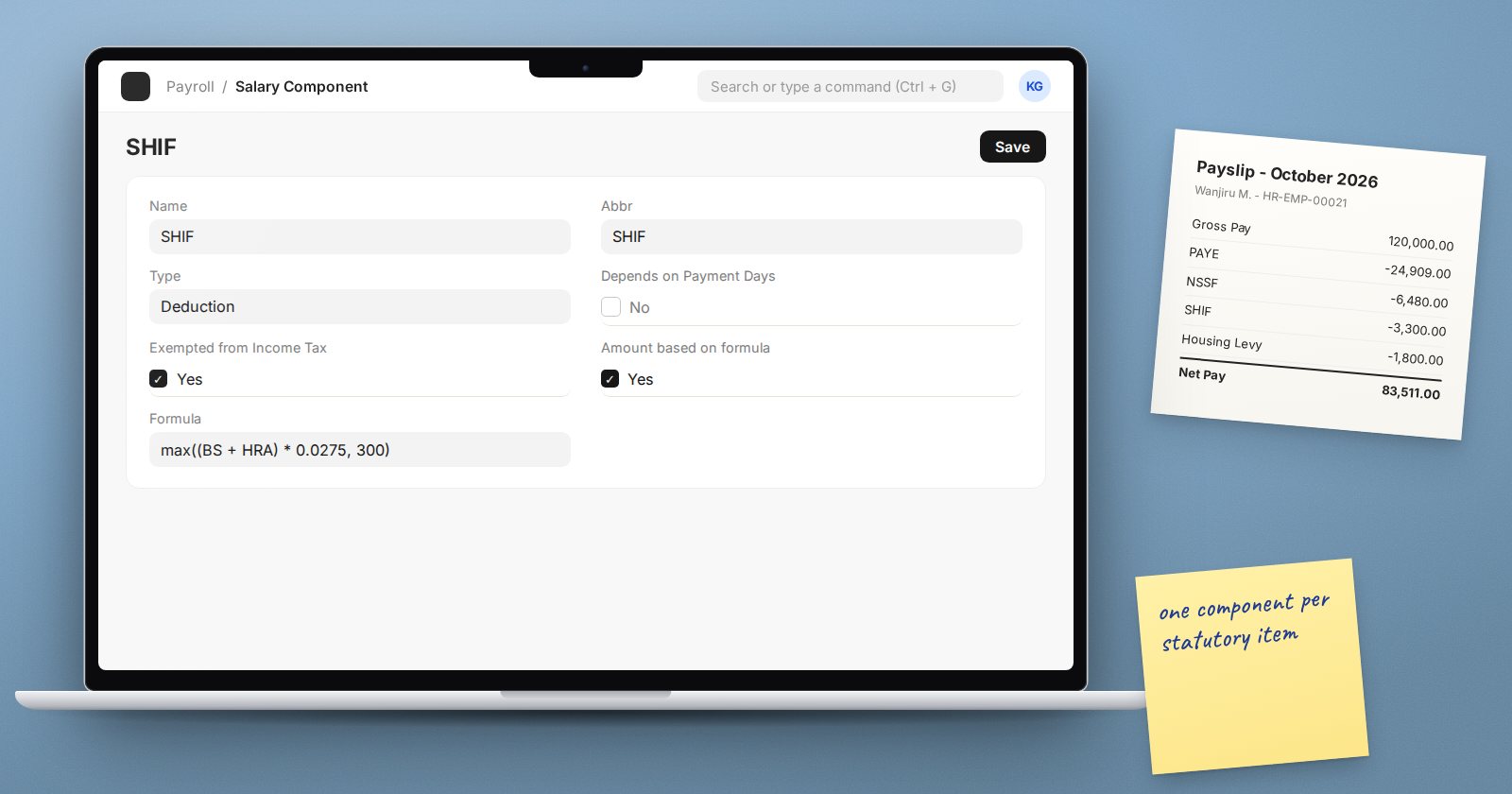
Create a separate Salary Component for each item, named plainly: "PAYE", "NSSF Employee", "SHIF", "Housing Levy Employee". Where the employer also pays, create an Employer Contribution component for the employer share, such as "NSSF Employer" or "Housing Levy Employer". KRA's notice on the housing levy describes an employee deduction with a matching employer amount, which maps naturally onto one deduction and one employer contribution.
Give each a short abbreviation and its own liability account, so each statutory balance can be reconciled and paid on its own.
Principle 2: decide tax treatment explicitly
As of 2026, KRA's PAYE page lists SHIF contributions and the Affordable Housing Levy among the amounts deductible in determining taxable employment income. In ERPNext, a deduction that should reduce taxable income before tax is calculated needs Exempted from Income Tax ticked. Check every statutory deduction against current KRA guidance and set this flag deliberately for each.
Principle 3: keep rates out of scattered formulas
Write each formula so the rate appears once and is easy to find. For banded or capped items, min() and max() keep the formula readable, for example a contribution that is a percentage of pay up to a ceiling. When a rate changes, you edit one formula in one structure, or one component default, and nothing else.
Before changing a rate, create the change as a new version: amend the structure or assign a new one from the effective date, so earlier payslips remain reproducible.
PAYE: two ways to set it up
Option A: Income Tax Slab
ERPNext's built-in route is an Income Tax Slab with Taxable Salary Slabs (From Amount, To Amount, Percent Deduction), linked on each Salary Structure Assignment, plus a deduction component with Variable Based On Taxable Salary ticked. It needs a Payroll Period covering the tax year.
Understand how it calculates: the slab is applied to taxable earnings for the whole payroll period, and the tax still due is spread over the remaining periods. Enter bands on an annual basis to match, and test carefully whether the monthly figures agree with how KRA expects monthly PAYE to be computed, including the treatment of personal relief.
Option B: a formula component
Some implementers compute PAYE in a deduction formula on monthly taxable pay. It is more work to write but behaves exactly month by month. If you choose it, keep the bands in one formula and document it.
Whichever you choose, prove it with test cases before go-live.
Testing is not optional
Build a small test sheet: several employees at different pay levels, including one near each band edge and cap. Calculate every statutory figure by hand from official tables, then compare with draft salary slips line by line. Repeat this test every time a rate changes.
Remitting
Payroll posts the deductions to liability accounts. KRA requires PAYE to be remitted on or before the 9th day of the following month; check each body's deadline and pay each liability from its own account.
Try it
Set up the components and a test structure, then run the test sheet through draft slips for three employees. Any difference, however small, means a formula or a tax flag needs another look.
Kenyan statutory payroll is covered in depth, with worked examples, in the Payroll course.
