
Many requests that sound like "we need a developer" are really three field settings. Show the customer's credit terms when the customer is picked. Hide the delivery address unless delivery is needed. Make the reason mandatory only when the discount is above a limit. Customize Form handles all three without a line of Python.
Fetch From: copy a value from a linked record
Fetch From fills a field from a record that another Link field points to. The format is link_fieldname.source_fieldname.
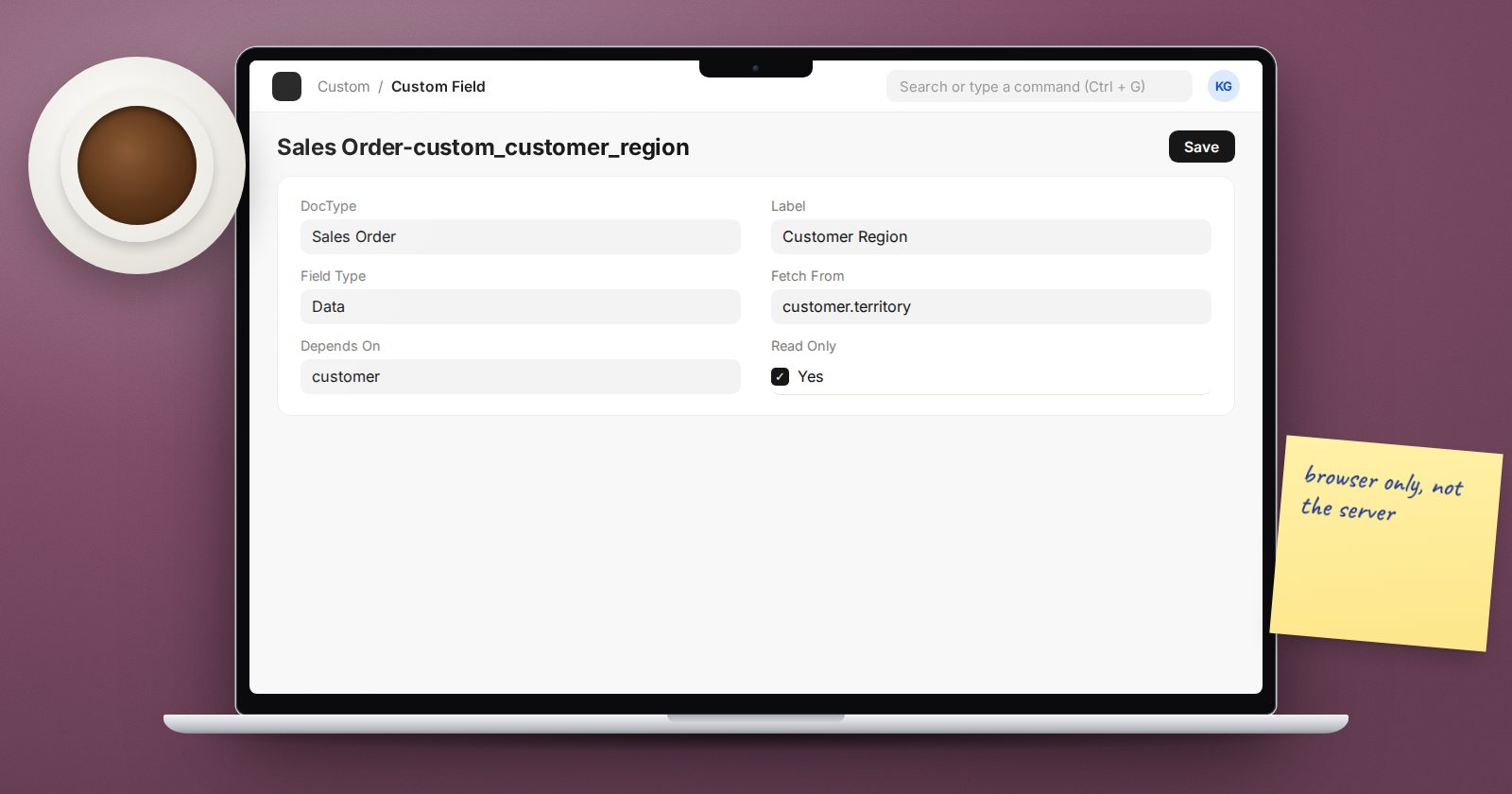
Example: on Sales Order, add a Custom Field "Customer Region" (Data, read only) with Fetch From set to:
customer.territory
When a user picks a customer, the region appears. On the server, ERPNext fetches it again each time the document is saved, so the stored value follows the customer record until the document is submitted.
Two settings change that behaviour:
- Fetch If Empty - only fetch when the field is blank. Use it when users may overwrite the fetched value and you want to keep their choice.
- Read Only - usually right for fetched fields, so nobody types a value that the next save will replace.
Fetch From follows one link only. To show a value two links away, fetch it into an intermediate field first.
Depends On: show a field only when it matters
Depends On (shown as "Display Depends On") hides a field until a condition is true. It accepts:
- a fieldname, such as
is_return, which shows the field when that value is set; - an expression starting with
eval:, usingdocfor the current document.
eval:doc.order_type == "Maintenance"
eval:doc.grand_total > 500000 && doc.customer_group == "Distributor"
In a child table row, doc is the row and parent is the main document:
eval:parent.company == "Upeo Kenya Ltd" && doc.qty > 100
Sections and tabs have Depends On too. Hiding a whole section is often cleaner than hiding six fields one by one.
Mandatory Depends On and Read Only Depends On
The same expressions drive two more properties:
- Mandatory Depends On makes a field required when the condition is true, for example a "Discount Reason" when
eval:doc.additional_discount_percentage > 10. - Read Only Depends On locks a field when the condition is true, for example locking a custom "Agreed Rate" field once
eval:doc.workflow_state == "Approved".
The trap: these rules live in the browser
Depends On, Mandatory Depends On and Read Only Depends On are checked by the form in the browser. They are not checked when a record is saved through Data Import, the REST API or a script. If the discount reason must always be present, also enforce it on the server, for example with a Server Script on Before Save:
if (doc.additional_discount_percentage or 0) > 10 and not doc.custom_discount_reason:
    frappe.throw("Give a reason for discounts above 10%.")
Custom Fields created from a label get a custom_ prefix, so the field is custom_discount_reason. Use the browser rule for a helpful form and the server rule for a guarantee.
Fetch From on standard fields
Customize Form lets you set Fetch From on many standard fields as well as custom ones. Before you do, check that ERPNext does not already fill that field in its own code. Two mechanisms filling one field leads to values that change for reasons nobody can explain.
A checklist before you save
- Is the source field name correct? Open the linked DocType in Customize Form and copy the fieldname, not the label.
- Is the expression valid JavaScript? A typo makes the form show an "Invalid "depends_on" expression" message.
- Does anything outside the form create these records? If so, add a server-side check.
- Did you test as a normal user, not as Administrator?
Try it
- On a test site, add "Customer Region" to Sales Order with Fetch From
customer.territory. - Add a "Discount Reason" field with Mandatory Depends On for discounts above 10%.
- Create the same order through Data Import without a reason and see it save.
- Add the Server Script above and repeat the import.
Field properties like these are the core of ERPNext Administration Without Code.
