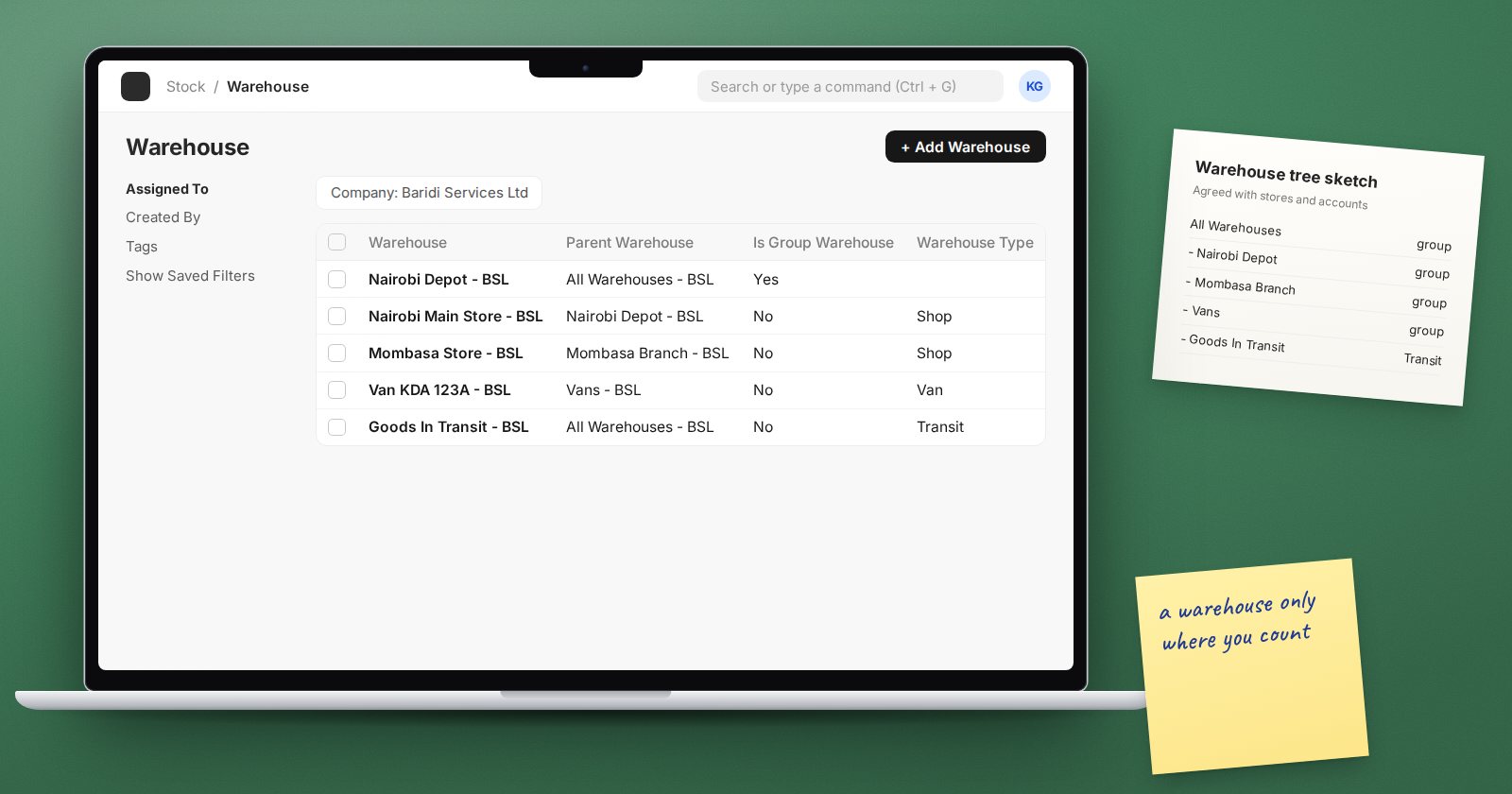
A distributor with a Nairobi depot, a Mombasa branch and two vans sets up one warehouse called "Stores" and runs everything through it. Within a month nobody can say how much stock is on the vans, branch managers cannot see their own figures, and every count is a company-wide event. The warehouse tree is the map ERPNext uses for every stock question, so it is worth drawing properly before go-live.
How the tree works
Warehouses in ERPNext form a tree under each company. Two kinds of node exist:
- Group warehouses (with Is Group Warehouse ticked) only organise. They hold no stock of their own, and ERPNext stops you selecting one on a transaction with "Group node warehouse is not allowed to select for transactions".
- Ledger warehouses are the real places stock sits. Every receipt, delivery and transfer names one.
When a company is created, ERPNext makes a group called All Warehouses with four ledger warehouses under it: Stores, Work In Progress, Finished Goods and Goods In Transit, the last one with the warehouse type Transit. Every warehouse name gets the company abbreviation added, so "Stores" becomes "Stores - UD" for a company abbreviated UD.
Draw it by location first
The most useful first level is physical location, because that is how people ask questions: what is in Mombasa?
- All Warehouses
- Nairobi Depot (group)
- Nairobi Main Store
- Nairobi Returns Bay
- Mombasa Branch (group)
- Mombasa Store
- Vans (group)
- Van KDA 123A
- Van KDB 456B
- Goods In Transit
- Nairobi Depot (group)
Run Stock Balance or Stock Projected Qty for a group warehouse and ERPNext includes everything beneath it. One filter answers a branch manager's question.
Make a warehouse only where stock is counted separately
Each ledger warehouse is something you will count, report and transfer to and from. A good test: would you post a transfer when goods move between these two places? If yes, they are separate warehouses. If not, they are one warehouse, and shelf or bin detail belongs elsewhere. Too many warehouses means endless transfers that nobody posts, and drift follows.
Typical separate warehouses:
- each shop, branch or depot;
- each delivery van, if it carries stock overnight;
- a damaged or quarantine store, so bad stock is not sold by accident;
- the manufacturing set: raw materials, Work In Progress, Finished Goods.
Transit between branches
Stock on a lorry to Mombasa is in neither branch. Keep a transit warehouse and tick Add to Transit on the Material Transfer. If the source warehouse has a Default In-Transit Warehouse set, ERPNext fills it in as the target. You then receive it at the destination with End Transit.
Warehouse Type
Warehouse Type is a free label on ledger warehouses, such as "Shop", "Van" or "Transit". Stock Balance and Stock Ageing both filter by it, so you can see all vans or all shops at once, across branches.
Accounts follow the tree
With perpetual inventory, each warehouse posts to a stock account. The warehouse's Account field says that if it is blank, the parent warehouse's account or the company default is used. Set the account on a group and every warehouse under it inherits it. Changing it later, once entries exist, brings a warning that the warehouse and account balances may stop matching, so decide with your accountant before go-live.
Changes that become hard later
- A warehouse with transactions cannot be converted between group and ledger.
- A warehouse cannot be deleted while it holds stock or has stock ledger entries. Tick Disabled instead.
- Moving a warehouse to a different parent is allowed, but reports and accounts change with it.
Before go-live
- Sketch the tree on paper with the stores team and the accountant.
- Create group warehouses for each location, then ledger warehouses under them.
- Set accounts on the groups where they differ.
- Add a transit warehouse and set Default In-Transit Warehouse on branch warehouses.
- Agree a Warehouse Type list and apply it.
Warehouse design and multi-location stock are covered in the Inventory Essentials course, with stock accounts in Inventory Professional.