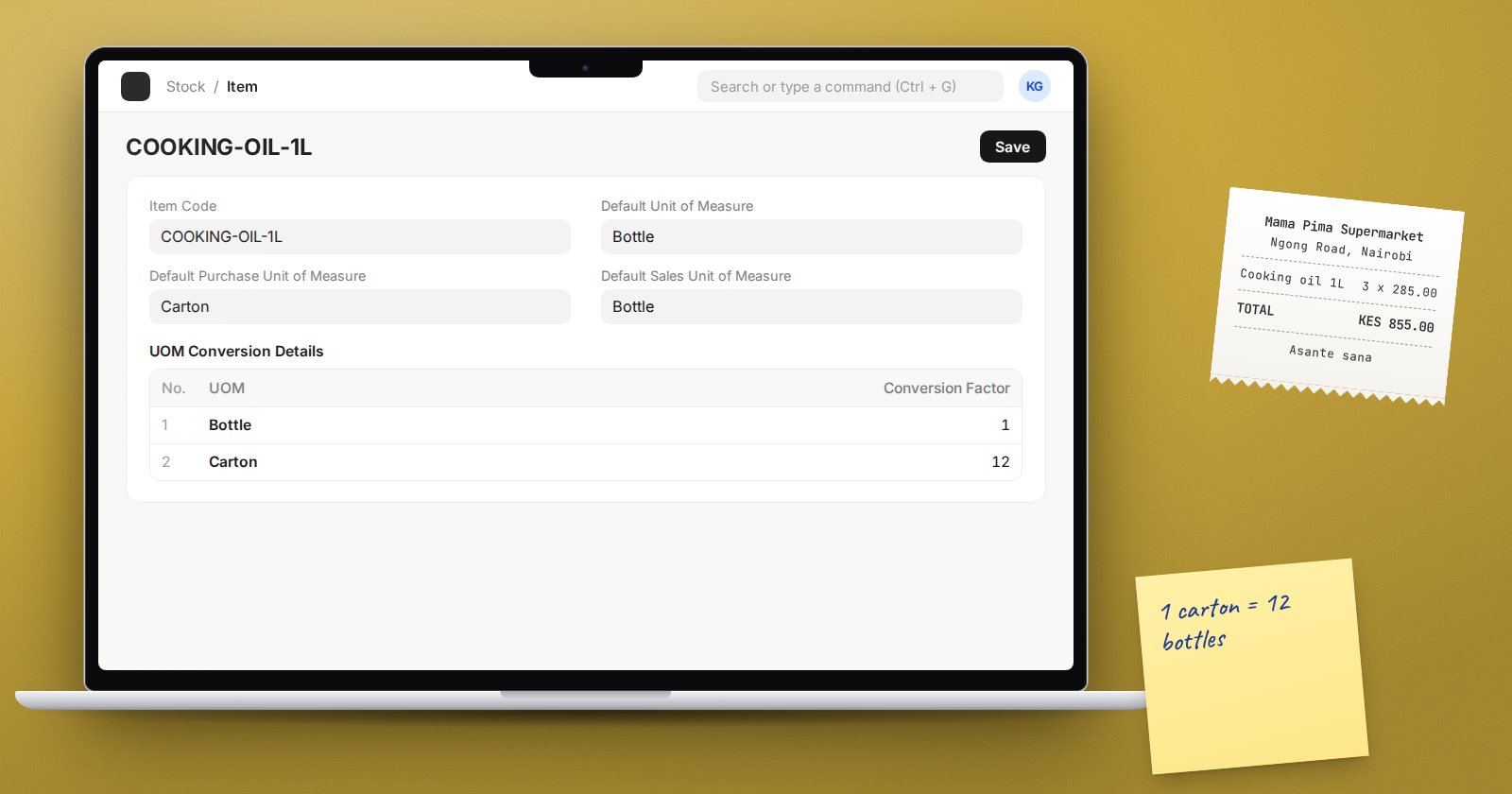
A shop buys cooking oil from the distributor in cartons of 12 bottles and sells it by the bottle. If ERPNext is set up with "Carton" as the stock unit, the shelf shows 3 cartons when there are really 2 cartons and 7 loose bottles, and nobody can sell a single bottle without a calculator. Units of measure fix this, as long as they are set up once, correctly, on the item.
One stock unit, many transaction units
Every item has one Default Unit of Measure on its Details tab. This is the stock UOM: the ledger, the valuation and every stock report count in it. Choose the smallest unit you sell, issue or count, here "Bottle".
Other units are allowed in transactions through the UOM tab of the Item. Each row in the table has a UOM and a Conversion Factor: how many stock units one of that UOM holds.
- Bottle, conversion factor 1
- Carton, conversion factor 12
The stock UOM itself must have a factor of 1; ERPNext checks this.
Default units for buying and selling
On the same item:
- Default Purchase Unit of Measure (Purchasing tab): set "Carton", and Purchase Orders and Receipts open in cartons.
- Default Sales Unit of Measure (Sales tab): set "Bottle" for retail.
The user can still change the UOM on any line, and ERPNext fetches the matching conversion factor.
What happens on a transaction line
Every item line in buying, selling and stock documents carries three things side by side:
- UOM and Qty: what the document says, for example 10 Carton.
- UOM Conversion Factor: 12.
- Qty as per Stock UOM (Qty in Stock UOM on purchase documents): 120 bottles. This is what reaches the stock ledger.
The line also shows Rate of Stock UOM, so you can see the per-bottle cost of a carton bought at KES 3,600: KES 300.
Prices per unit
An Item Price can be tied to a UOM. If you hold a carton price and a bottle price, ERPNext uses the one that matches the line. If there is only a price for the stock UOM and the line is in cartons, ERPNext multiplies the bottle price by the conversion factor. That is usually what you want, but wholesale cartons are often cheaper than twelve single bottles, so keep a separate carton price when the trade price differs.
If a whole Price List should ignore units, the Price List has Price Not UOM Dependent.
Units that must be whole
Open the UOM record ("Bottle", "Nos", "Carton") and tick Must be Whole Number for anything you cannot split. Sales Orders, Purchase Orders, Quotations and Material Requests then refuse fractional quantities in that unit. Leave it off for kilograms and litres.
For units that convert universally, such as kilograms to grams, ERPNext also keeps UOM Conversion Factor records (From, To, Value) that it uses when the item has no row of its own.
Settings worth knowing
Stock Settings has a UOM Defaults section:
- Default Stock UOM for new items.
- Allow UOM with conversion rate defined in Item. When enabled, sales and purchase lines only accept units whose conversion is set on the item. Turn it on: it stops a clerk choosing "Carton" for an item that has no carton row.
- Allow to edit stock UOM qty for sales, purchase or Stock Entry documents. Leave these off unless you have a real case, such as goods sold by weight where the actual weight differs per line.
The mistake you cannot undo easily
Once stock ledger entries exist, ERPNext will not let you change the item's Default Unit of Measure directly. It tells you to create a new item. So choose the smallest unit from the start, and handle bigger packs with conversion rows.
Checklist for a new item
- Stock UOM is the smallest unit you sell or count.
- Every pack size you buy or sell has a row on the UOM tab.
- Default purchase and sales units are set where they differ.
- Pack units are marked Must be Whole Number.
- Carton and single prices are both maintained if they differ.
Units are covered with the rest of item setup in the Customers, Suppliers & Items course, and their effect on stock in Inventory Essentials.