
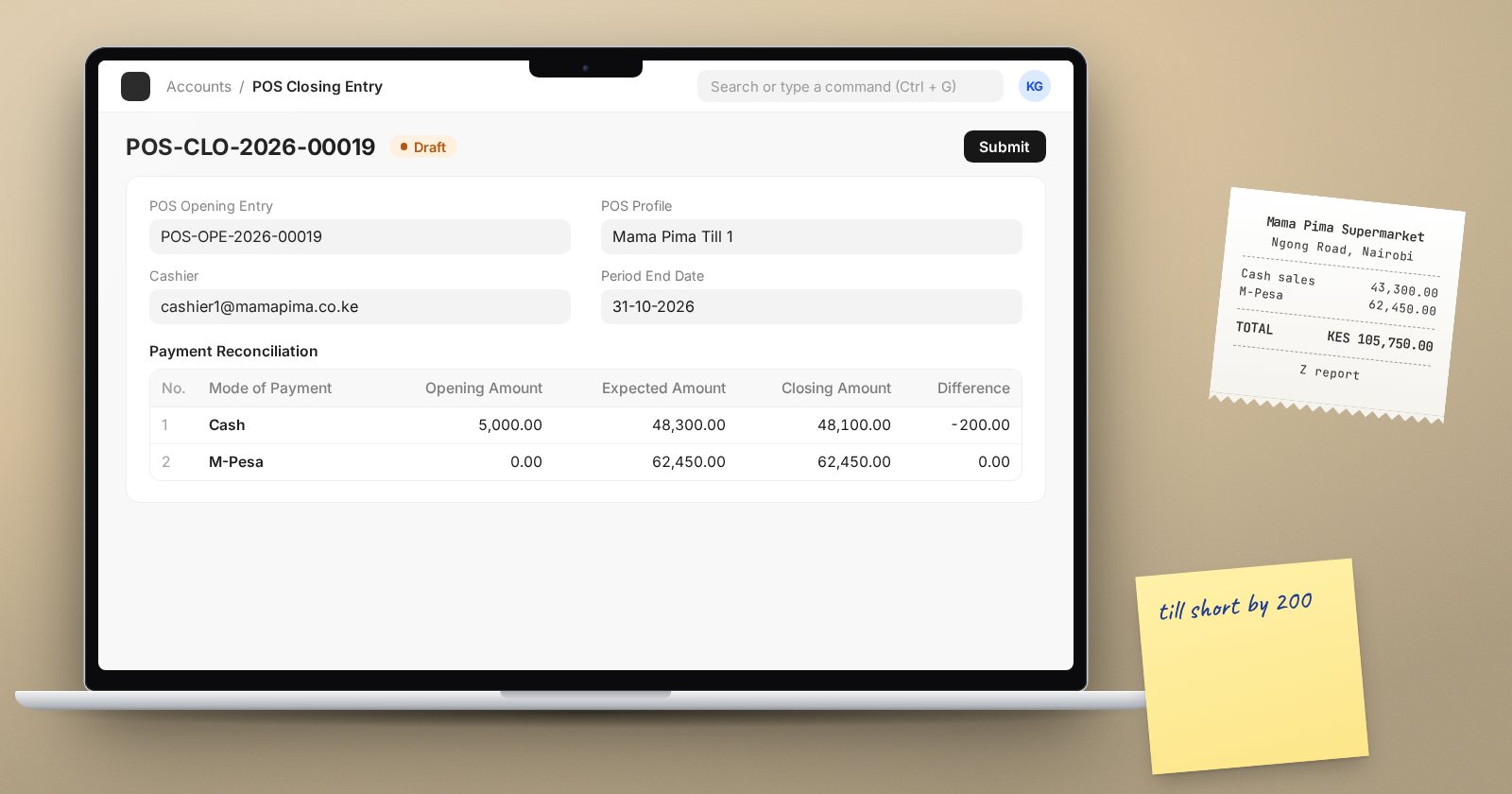
At the end of a shift, the cash in the drawer, the M-Pesa or card totals and what ERPNext says was sold should agree. ERPNext's point of sale works in shifts: a POS Opening Entry starts one, and a POS Closing Entry ends it and reconciles the money. Done every shift, it turns "the till is short somewhere" into a specific shift, cashier and payment method.
Before the first shift: the POS Profile
Each till runs on a POS Profile. Check that it has:
- Applicable for Users: the cashiers allowed to use it.
- Payment Methods: every way customers pay at that till, such as Cash, M-Pesa and card, with one marked as default.
- The Warehouse stock is sold from and the Price List.
When opening a shift, a cashier is offered the profiles they are listed on.
Opening a shift
When a cashier opens the Point of Sale page without an open shift, ERPNext asks them to Create POS Opening Entry:
- Choose the POS Profile.
- In Opening Balance Details, enter the Opening Amount for each Mode of Payment. For cash this is the float in the drawer; for M-Pesa or card it is usually zero.
- Submit. The status becomes Open and selling can begin.
Count the float before entering it. A wrong opening amount makes every closing look wrong.
During the shift
Every sale is recorded against the open shift. In v16 the POS Settings option Invoice Type Created via POS Screen defaults to Sales Invoice, so each sale is a Sales Invoice; the older POS Invoice type is still available if your setup uses it.
Closing the shift
From the POS screen menu, choose Close the POS. This creates a POS Closing Entry for the open shift, listing its transactions, totals and taxes.
The important part is the Payment Reconciliation table. For each Mode of Payment it shows:
- Opening Amount: from the opening entry.
- Expected Amount: opening amount plus what the sales say was received.
- Closing Amount: what you actually count. ERPNext pre-fills it with the expected figure, so the cashier must overwrite it with the real count.
- Difference: closing minus expected.
Count cash physically. For M-Pesa, compare with the paybill or till statement for the shift's time window. For cards, use the terminal's settlement report. Enter the counted figures, check the differences, and submit.
Dealing with differences
A difference is information, not a failure:
- Small cash differences often come from change-giving errors. Record them and watch for patterns by cashier.
- M-Pesa differences often come from a payment received for a sale that was entered as cash, or the reverse. Look at the shift's invoices before accepting the difference.
- Large or repeated differences need a supervisor review before the closing entry is submitted.
Agree with your accountant how differences are treated in the books, and keep that rule the same for every till.
Good shift habits
- One cashier per shift per till, so differences have an owner.
- Close every shift, every day. Shifts left open for days mix several days' money together.
- Bank cash takings separately from the float.
- Review closing entries daily: a quick look at the Difference column across all tills catches problems early.
Checklist
- POS Profile lists the right cashiers and payment methods
- Float counted and entered on the POS Opening Entry
- Every payment method counted or checked against its statement at closing
- Differences explained before submitting the POS Closing Entry
- No shift left open overnight
Running the till, shifts and reconciliation from start to finish is covered in the Point of Sale Operations course.
