
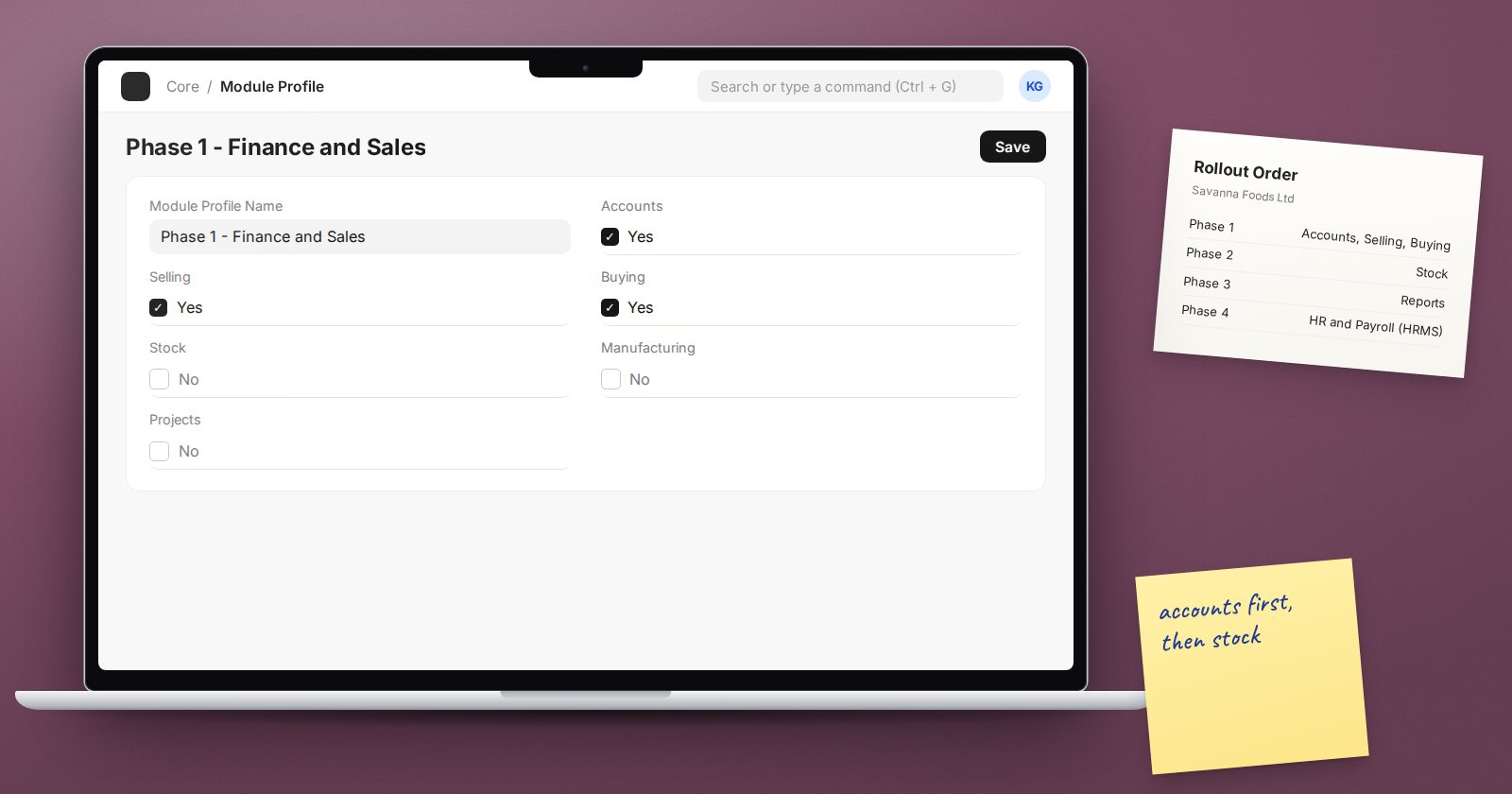
ERPNext covers a lot of ground: accounting, buying, selling, stock, manufacturing, projects, assets, CRM, support and more. HR and payroll are provided by the separate HRMS app, which is installed alongside ERPNext. With so much available, a common mistake is trying to switch everything on at once. A phased rollout is usually safer, and the order of the phases matters.
Big bang or phased?
Big bang means all chosen modules go live together on one date. It avoids running two systems side by side for long, and it suits small businesses with simple processes and a strong internal team.
Phased means modules go live in steps, each one stabilising before the next starts. It reduces risk, spreads the training load and lets the team learn from the first phase. It suits most businesses with several departments, stock, or more than one branch.
When in doubt, phase. Recovering from a failed big bang is far harder than adding a module later.
Start with the foundation
Whatever the order, a few things come first because everything else depends on them:
- Company setup, chart of accounts and fiscal year
- Cost centers and any accounting dimensions used for reporting
- Users, roles and permissions
- Core master data: customers, suppliers and items
Accounting is the foundation of ERPNext. Every stock movement, invoice and payment posts to the ledger. Even if your main pain is in the warehouse, the accounts must be set up properly first.
A sensible order for a trading business
- Accounting, selling and buying. Invoices, payments, purchase and sales cycles. This gives immediate control over money in and out.
- Stock. Warehouses, receipts, deliveries, transfers and stock counts. This depends on good item data and links directly to the buying and selling cycles.
- Reporting refinements. Once real data exists, build the management reports people actually need.
- Extensions. CRM, projects, assets, point of sale or manufacturing, depending on the business.
- HR and payroll. Often a separate phase with its own data, rules and confidentiality needs.
Stock can go live with phase one if buying and selling are tightly tied to physical goods. In that case, plan for a careful opening stock count.
How to decide what comes first
Ask four questions for each module:
- Pain: Which area is causing the most trouble today?
- Dependency: What must already exist for this module to work?
- Readiness: Is the data clean and is the team available?
- Risk: What happens to the business if this area has problems in the first month?
A module with high pain, few dependencies and ready data is a good early candidate. A module with high risk and poor data should wait.
Making phases work
- Give each phase its own scope, UAT and go-live sign-off
- Leave time to stabilise before starting the next phase
- Avoid temporary workarounds that the next phase will have to undo
- Keep one configuration log across all phases
- Keep master data owners the same throughout
Be careful with long gaps between phases. If stock stays outside ERPNext for many months while invoicing runs inside it, the business manages two sources of truth and stock values in the accounts are unreliable.
Checklist
- Rollout approach chosen: big bang or phased
- Foundation set up before any module goes live
- Each module scored on pain, dependency, readiness and risk
- Phases ordered and dated
- Each phase has its own scope, testing and sign-off
- Gaps between phases kept short
Understanding how the modules connect makes phasing decisions much easier. Getting Started with ERPNext is a free introduction, and the ERPNext Implementation Consultant course covers planning a rollout in full.
