
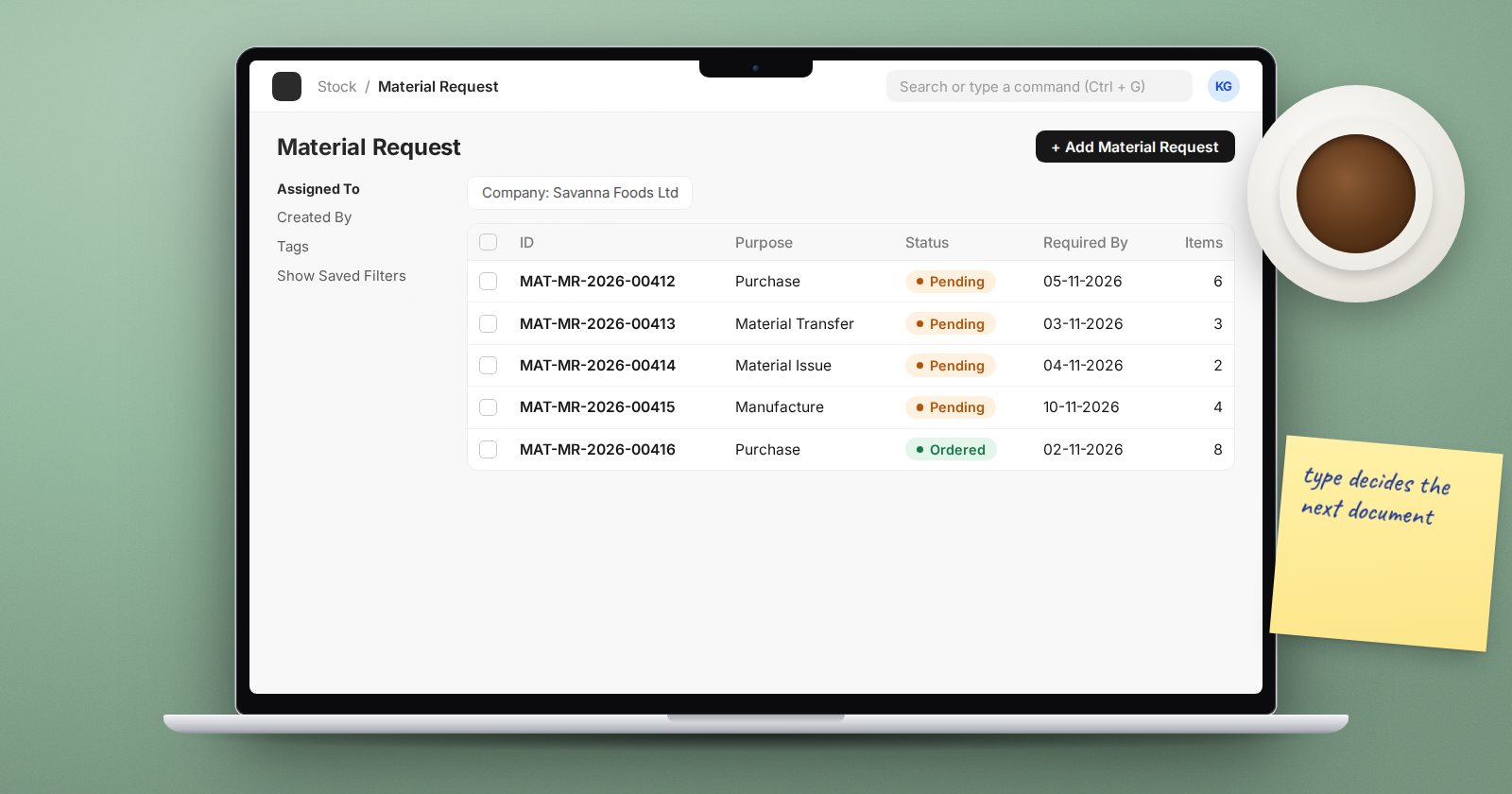
A Material Request is how someone in the business says "we need this". It is not an order and it does not move stock. It is a request that the right person turns into the right next document. The Purpose field on the request, shown as the Material Request type, decides what that next document is.
ERPNext v16 has six types.
Purchase
"Buy this from a supplier." The buyer opens the request and uses Create to make a Purchase Order, a Request for Quotation or a Supplier Quotation. Use it for anything the business does not hold in stock or has run out of.
Material Transfer
"Send this to my warehouse from another one." The storekeeper creates a Material Transfer stock entry (or Material Transfer (In Transit) for goods that travel), or a Pick List first if pickers work from lists. Use it for branch replenishment and for a production floor drawing from the main store.
Material Issue
"Give me this for use." The storekeeper creates an Issue Material stock entry from the request. Use it for internal consumption such as cleaning materials, spares for maintenance or office supplies, where the requester's department carries the cost.
Manufacture
"Make this." The production team creates a Work Order from the request. Use it when a branch or sales team needs finished goods that the factory has to produce.
Subcontracting
"Have a job worker make this." The buyer creates a Subcontracted Purchase Order. Use it for work sent out, such as printing, plating or assembly done by another firm with your materials.
Customer Provided
For materials a customer supplies for their own job. The item must be marked Is Customer Provided Item on the Item. The request records that you expect these materials, and a Material Receipt stock entry brings them in when they arrive.
Setting a default per item
On the Item's Inventory tab, Default Material Request Type sets which type is used when ERPNext raises requests automatically for that item, for example from reorder levels. Set Manufacture on items you make and Purchase on items you buy, so automatic requests go to the right team.
Tracking requests through to completion
A submitted request shows how much has been ordered or transferred. Useful reports:
- Requested Items to Order and Receive: purchase requests not yet fully ordered or received.
- Requested Items To Be Transferred: transfer requests still waiting.
- Material Requests for which Supplier Quotations are not created: requests the buyers have not started on.
If a request is no longer needed, use Stop rather than leaving it open forever. A stopped request can be re-opened.
Controls worth knowing
- Over Order Allowance (%) in Buying Settings limits how far a Purchase Order may exceed the requested quantity.
- Over Transfer Allowance (%) in Stock Settings does the same for transfers against a request.
Leave both at zero unless you have a reason; the request quantity is the agreed need.
Common mistakes
- Using Purchase for everything, so buyers order goods that are already in another warehouse.
- Using Material Issue when the goods are only moving, which wrongly expenses stock still in the business.
- Leaving old requests open, which inflates projected quantities and confuses reordering.
Try it
- Raise one request of each common type: Purchase, Material Transfer, Material Issue.
- From each, open the Create menu and note which documents are offered.
- Complete one and check the request's status changes.
Turning requests into orders and receipts is the backbone of the Procurement Essentials course.
