
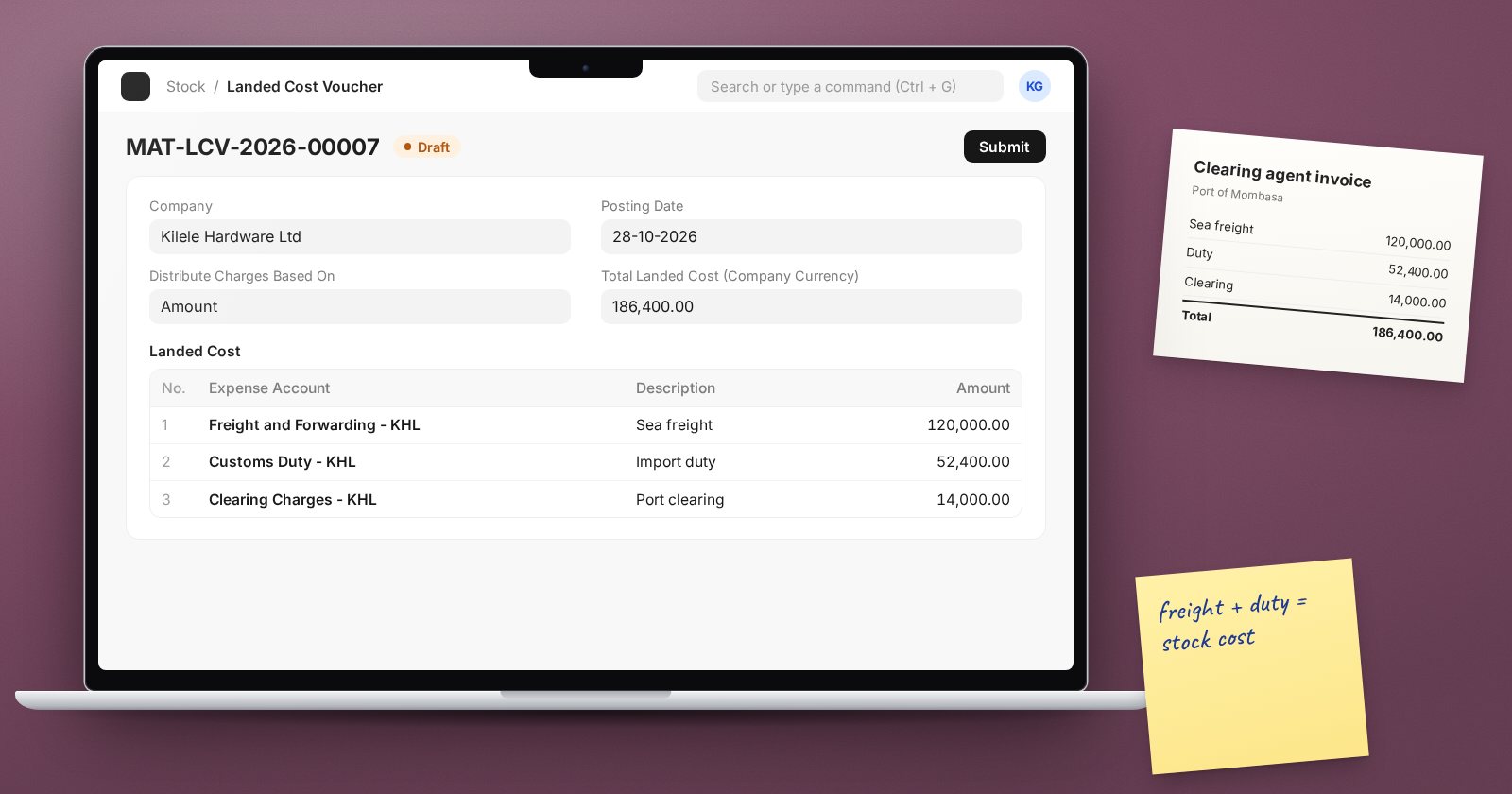
When you import goods, the supplier's invoice is only part of what they cost you. Freight, insurance, import duty, clearing and port charges all have to be paid before the goods reach your shelf. If those costs are booked as general expenses, your stock is undervalued and every sale of it shows a margin that is too high. ERPNext's Landed Cost Voucher adds those costs to the stock itself.
What it does
A Landed Cost Voucher takes one or more extra charges and spreads them over the items on one or more receipts. Each item's valuation rate goes up by its share. Stock value rises, and when the goods are sold, cost of goods sold reflects the full landed cost.
Because valuation changes, ERPNext recalculates the stock movements after the receipt, so sales already made from that stock pick up the corrected cost.
Step 1: Receive the goods normally
Post the Purchase Receipt for the supplier's goods at the supplier's price. You do not need to wait for the clearing agent's bill. Landed costs can be added afterwards.
Step 2: Create the Landed Cost Voucher
From the submitted Purchase Receipt, use Create > Landed Cost Voucher, or create a new one directly.
- In the Vouchers table, add the receipts the costs relate to. Receipt Document Type can be a Purchase Receipt, a Purchase Invoice that updated stock, a Stock Entry or a Subcontracting Receipt. One voucher can cover several receipts from the same shipment.
- Click Get Items. The Receipt Items table fills with every item on those receipts.
- In the Landed Cost table, add each charge: a Description (for example "Sea freight" or "Import duty"), the Expense Account that the charge was booked to, and the Amount.
- Choose Distribute Charges Based On.
- Check each item's applicable charges, then submit.
Choosing how to distribute
- Qty: each unit carries the same share. Good for freight on goods of similar size and weight.
- Amount: each item's share follows its value. Good for duty and insurance, which are charged on value.
- Distribute Manually: you type each item's share. Use it when neither rule is fair, for example one heavy item on a shipment of light ones.
If one shipment has charges that follow different logic, you can use separate vouchers: one by Amount for duty, one by Qty for freight.
Accounts
The expense account on each charge should be the one the clearing or freight bill was posted to, so that the voucher moves the cost from that account into stock. Agree the account set-up with your accountant before the first import; once it is right, the storekeeper or buyer can post vouchers routinely.
Good habits
- Post the Landed Cost Voucher as soon as the charges are known, before most of the stock is sold. The longer you wait, the more history is recalculated.
- Group all receipts from one shipment in one voucher.
- Attach the clearing agent's and shipper's documents to the voucher.
- Use the Landed Cost Report to review what was added to each receipt.
Checklist
- Purchase Receipt posted at the supplier's price
- All receipts from the shipment added to the Vouchers table
- Each charge entered with the right expense account
- Distribution method chosen per type of charge
- Voucher posted promptly after the bills arrive
Valuation and keeping stock matched to the accounts are covered in the Inventory Professional course, and the receiving side in Procurement Essentials.
