
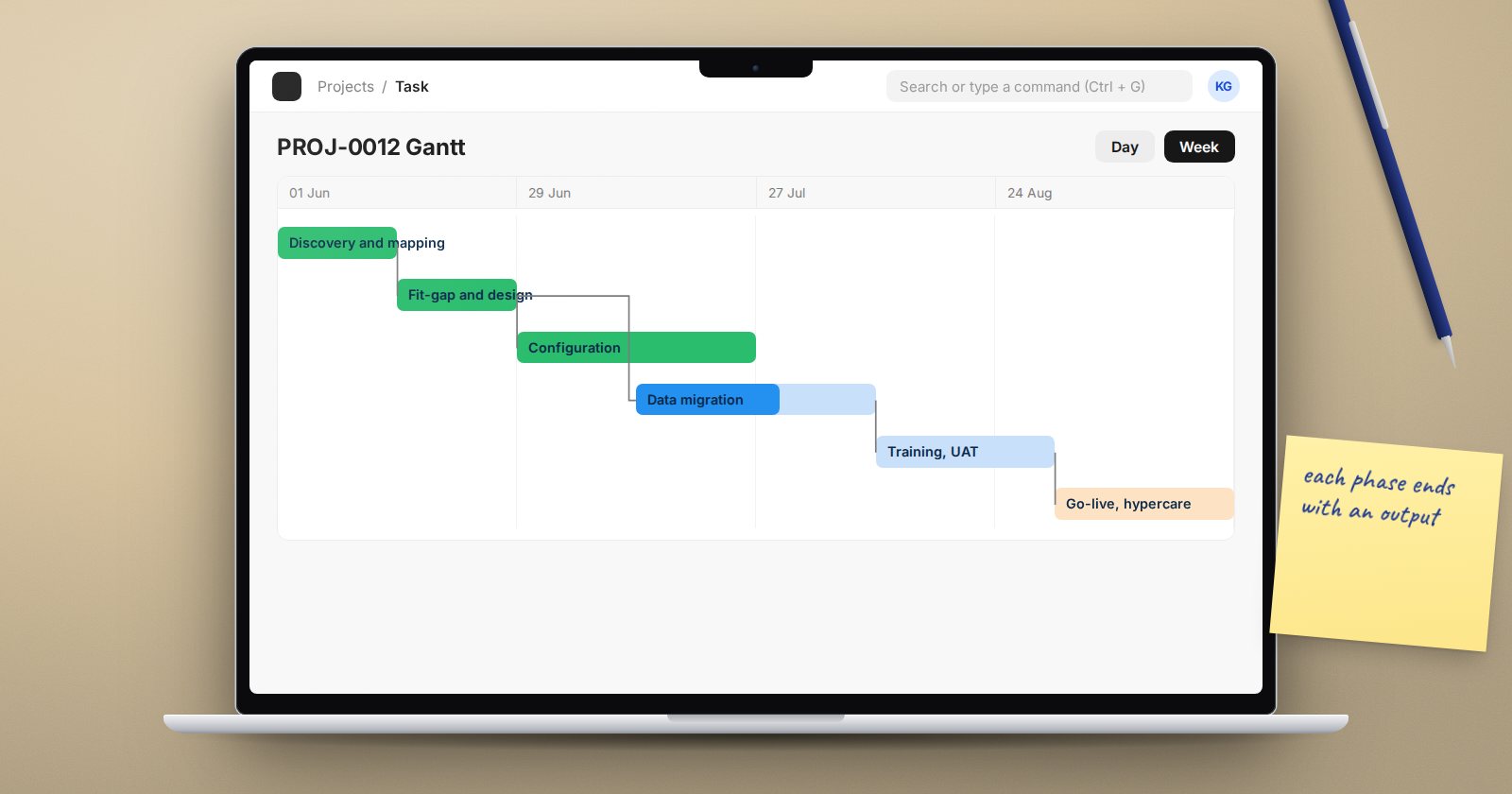
An ERPNext implementation is easier to manage when everyone agrees on the phases and what each one must deliver. Names vary between partners, but the work is broadly the same. What follows is a practical sequence that works for small and medium businesses, with the output you should expect from each phase.
1. Discovery
The goal is to understand the business before touching the system. Meet the owner and each department head. Learn what they sell or make, how goods and money flow, which reports they rely on, and what is going wrong today.
Output: a short scope document listing companies, branches, modules in scope, key integrations, known pain points and what is out of scope.
2. Requirements and process mapping
Turn conversations into written processes. For each area, record how the work is done now and how it should be done in ERPNext. Keep the steps concrete: who starts the process, what document they create, who approves it and what happens next.
Output: process maps and a requirements list, each requirement with an owner and a priority.
3. Fit-gap and solution design
Compare each requirement with what ERPNext does out of the box. Most will be met by configuration. Some will need small changes such as custom fields, print formats or a workflow. A few may need development, and a few may be better solved by changing the process.
Output: a solution design that states, for every requirement, how it will be met and who signed off the decision.
4. Configuration
Set up the company, chart of accounts, fiscal year, warehouses, item groups, price lists, taxes, naming series, roles and permissions. Apply the agreed customisations. Keep a log of every setting you change and why, because you will need it for support and for future upgrades.
Output: a configured test system and a configuration log.
5. Data migration
Clean and load master data first: customers, suppliers, items, and the chart of accounts if it is custom. Then plan opening balances for ledgers, receivables, payables and stock as at the cutover date. Rehearse the load at least once on a test copy.
Output: clean templates, a tested import sequence and reconciled opening balances.
6. Training
Train users by role on the configured system with their own data. Name key users in each department who will support others.
Output: trained users, short role guides and a list of who has completed training.
7. User acceptance testing
Users run real scenarios end to end and record the results. Issues are fixed and retested. Each process owner signs off when their scenarios pass.
Output: a signed test log.
8. Cutover and go-live
Freeze the old system at an agreed point, load final balances, check them against the old records and open the system for live work.
Output: a completed cutover checklist and a go-live sign-off.
9. Hypercare
For the first weeks, the project team stays close. Issues are logged, fixed quickly and fed back into training. Month-end is watched closely, since it is the first real test of the accounts.
Output: a closed issue log and a handover to normal support.
Keeping the phases honest
- Do not start configuration before the scope is written down
- Do not migrate data that has not been cleaned
- Do not go live before UAT is signed
- Keep one issue log from configuration to hypercare
- Hold a short review at the end of each phase before moving on
Checklist
- Scope document agreed
- Process maps and requirements recorded
- Fit-gap decisions signed off
- Configuration log kept up to date
- Data loaded and reconciled on a test copy
- Users trained and UAT signed
- Cutover plan written and rehearsed
Phases can overlap in a small project, and that is fine. What matters is that each output exists before the project depends on it. The ERPNext Implementation Consultant course walks through this whole journey in detail.
