
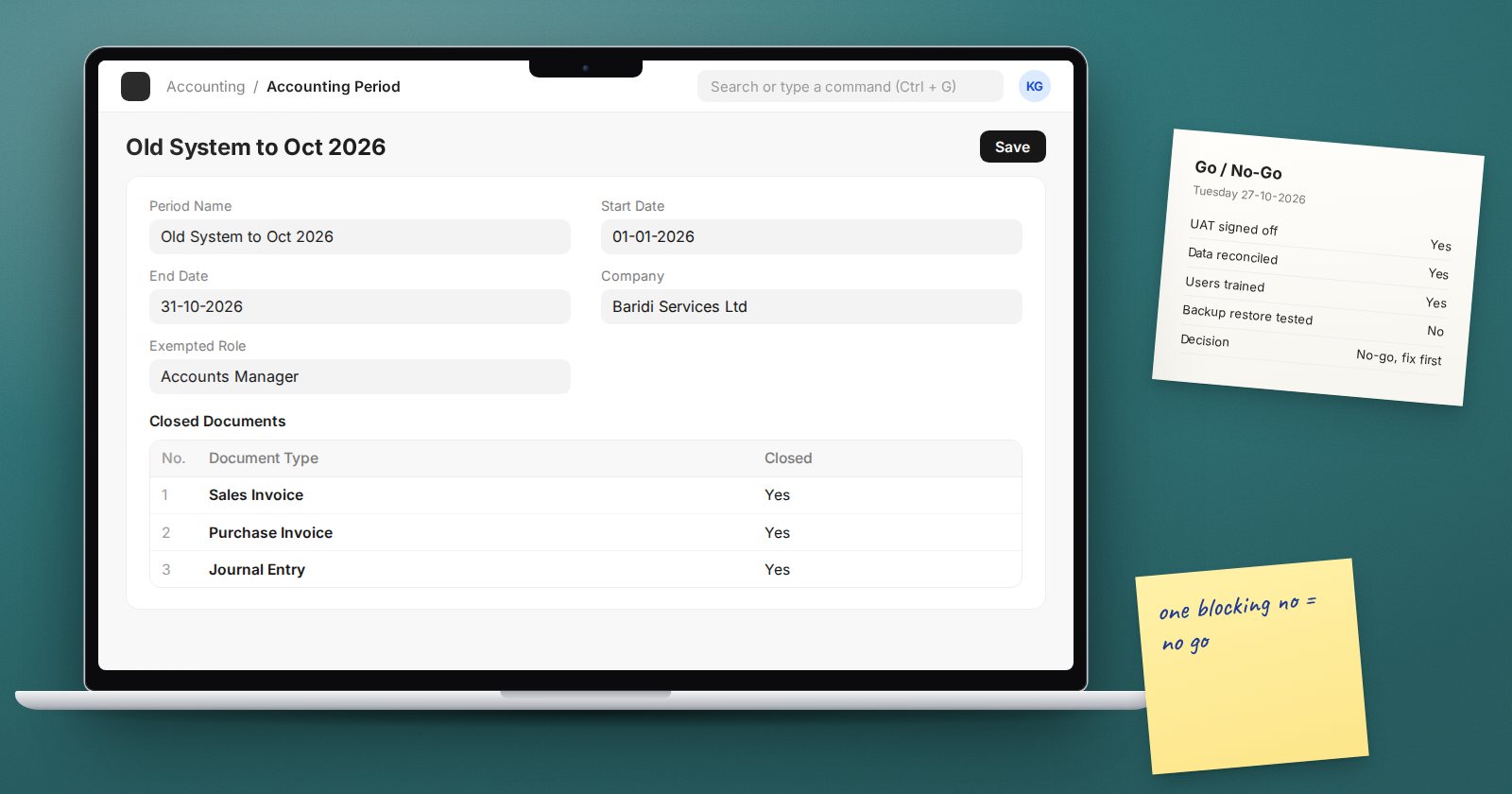
Go-live should be a decision, not just a date on the project plan. A short go or no-go meeting a few days before cutover, with a clear checklist, protects the business from starting on a system that is not ready. It also gives everyone a shared moment to agree, out loud, that they are prepared.
This checklist is grouped by area. Each item should have an owner and a yes or no answer, not "almost".
Configuration
- Company details, address, tax IDs and logo are correct
- Chart of accounts reviewed and approved by finance
- Fiscal year matches the business's financial year
- Naming series set for each document type, through Document Naming Settings, so numbers start where the business expects
- Tax templates tested on real invoices
- Print formats for invoices, delivery notes, quotations and statements approved by the people who send them
- Default accounts, warehouses and cost centers set on the company and item groups
- Workflows and approval rules tested with the actual approvers
Data
- Master data loaded from cleaned files and spot-checked by the data owners
- Opening balance plan written, with the cutover date agreed
- A rehearsal load completed on a test copy and reconciled
- Test transactions removed from the company that will go live
On the last point: if testing was done in the live company, ERPNext provides a Delete Transactions action on the Company record, available to System Managers. It deletes transactions for that company and leaves setup records such as accounts, cost centers and warehouses in place. The deletion record lists the document types to be deleted and those excluded, so review it, and take a backup, before running it.
Users and access
- Every user has an account with the correct Role Profile
- Each user has logged in at least once and changed their password
- User permissions restrict branch or warehouse access where needed
- Nobody uses a shared login
- The Administrator account is not used for daily work
Testing and training
- UAT scenarios signed off by each process owner
- Open issues reviewed; none marked as blocking go-live
- Every user trained on their daily transactions
- Key users named for each department
- Short role guides available for the most common tasks
Controls
- Outgoing emails and notifications reviewed, so customers do not receive test messages or unexpected alerts
- If you want to stop entries being backdated into the period handled by the old system, consider an Accounting Period with the relevant documents listed as closed. It blocks those documents within the period, with an optional exempted role for finance.
- Backups confirmed as running, and someone has checked that a backup can be restored
Support
- An issue log is ready, with a clear way for users to report problems
- The project team's availability for the first weeks is agreed
- Escalation contacts for urgent problems are known to every department
- A daily check-in is scheduled for the first week
Running the go or no-go meeting
Invite the sponsor, the process owners and the project lead. Go through the list area by area. For each "no", decide whether it blocks go-live or can be handled with a workaround and a date.
A good rule: any item that would stop invoicing, receiving, paying or reporting correctly blocks go-live. Cosmetic issues, extra reports and nice-to-have features do not.
If the answer is no-go, set a new date and a short list of what must change. Delaying by a week is far cheaper than recovering from a failed start.
Summary checklist
- Configuration approved
- Data loaded, reconciled and test transactions removed
- Users created, trained and tested with real roles
- UAT signed off with no blocking issues
- Notifications, period controls and backups checked
- Support plan and issue log ready
- Go decision recorded with names and date
Planning for this decision is part of the ERPNext Implementation Consultant course, and the user and settings work is covered in ERPNext Administration Without Code.
