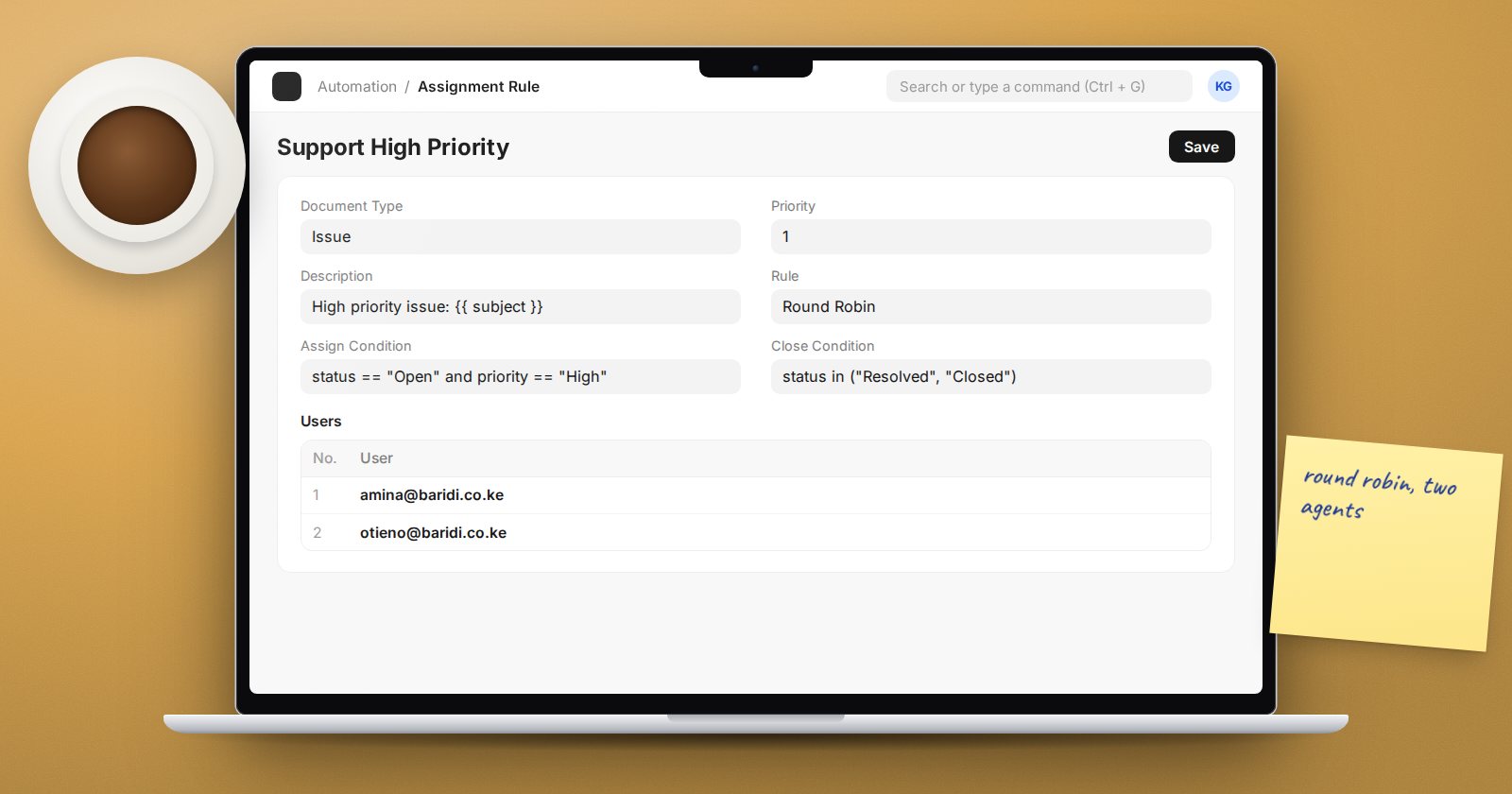
When every new lead or support ticket lands in one shared list, two things happen: popular items get picked twice and awkward ones get picked by nobody. ERPNext's Assignment Rule hands each new document to a named person automatically, using rules you set in the desk.
What an Assignment Rule does
An assignment in ERPNext is a ToDo linked to the document, shown as an avatar on the form and in the list. An Assignment Rule creates that ToDo for you when a document matches a condition, and can also remove or close it later.
Assignment Rules run whenever a document of the chosen type is saved, submitted or cancelled. They are skipped during patches and installs, and cannot be set on ToDo itself.
The fields that matter
- Document Type - the DocType to watch, such as Lead, Issue or Material Request.
- Priority - when several rules match, the highest priority is tried first. Only one rule assigns.
- Assign Condition - when to assign.
- Unassign Condition - when to remove the assignment, for example when the document moves to another team.
- Close Condition - when to mark the ToDo as closed, for example when the issue is resolved.
- Assignment Days - limit the rule to certain weekdays. Leave empty for every day.
- Rule - how to choose the person.
- Users - the people in the rotation.
- Due Date Based On - a date field on the document copied into the ToDo's date.
- Description - the ToDo text, a Jinja template.
Writing conditions
Conditions are Python expressions. The document's fields are available directly by name, not through doc.:
status == "Open" and priority == "High"
territory == "Nairobi" and source == "Website"
status in ("Resolved", "Closed")
If a condition fails with an error, ERPNext shows "Auto assignment failed" and lets the save continue. So a broken rule does not stop work, but it quietly assigns nobody. Test every condition.
The four ways to pick a person
- Round Robin - takes turns down the Users list, starting again at the top.
- Load Balancing - picks the user with the fewest open assignments for this DocType. Good when items take different amounts of time.
- Based on Field - assigns to the user named in a field on the document, such as a custom "Account Manager" Link to User.
- Weighted Distribution - shares work by weight. A user with weight 2 gets twice as many as a user with weight 1, which suits a senior person handling more.
Example: a support desk with two levels
Rule A, priority 2:
- Document Type: Issue
- Assign Condition:
status == "Open" and priority == "Urgent" - Rule: Round Robin, Users: two senior agents
Rule B, priority 1:
- Assign Condition:
status == "Open" - Unassign Condition:
priority == "Urgent" - Close Condition:
status in ("Resolved", "Closed") - Rule: Load Balancing, Users: the first-line team
An urgent issue goes to the seniors. A normal issue goes to the first-line team, and if someone later marks it urgent, Rule B removes the first-line assignment so Rule A can assign a senior on the next save.
Weekends and leave
Use Assignment Days to keep a weekend rota separate: one rule for Monday to Friday with the full team, another for Saturday with the duty agent. When someone goes on leave, remove them from the Users list; their open ToDos stay with them, so reassign those by hand.
Things that catch people out
- Existing assignments block new ones. A rule only assigns when the document has no current assignment, or when an unassign condition has just cleared it.
- Users need the right role. If an assignee cannot read the document, ERPNext shares it with them, but sharing is not a substitute for a role that can work on it.
- Assignees are notified when the ToDo is created, so check their notification settings and your outgoing email account.
Try it
- On a test site, create Rule B for Issue with three users.
- Create five issues and check who got each one.
- Switch the rule to Load Balancing, close two ToDos for one user, and create two more issues.
- Break the condition on purpose and watch the "Auto assignment failed" message.
Automation that needs no code is a core part of ERPNext Administration Without Code.