
Logging time is only half the job. The hours have to reach an invoice, and someone has to know whether the project made money. ERPNext links timesheets to sales invoices and keeps a running gross margin on each project. This article shows both, and where the margin figure needs care.
Three ways to bill timesheets
From the timesheet
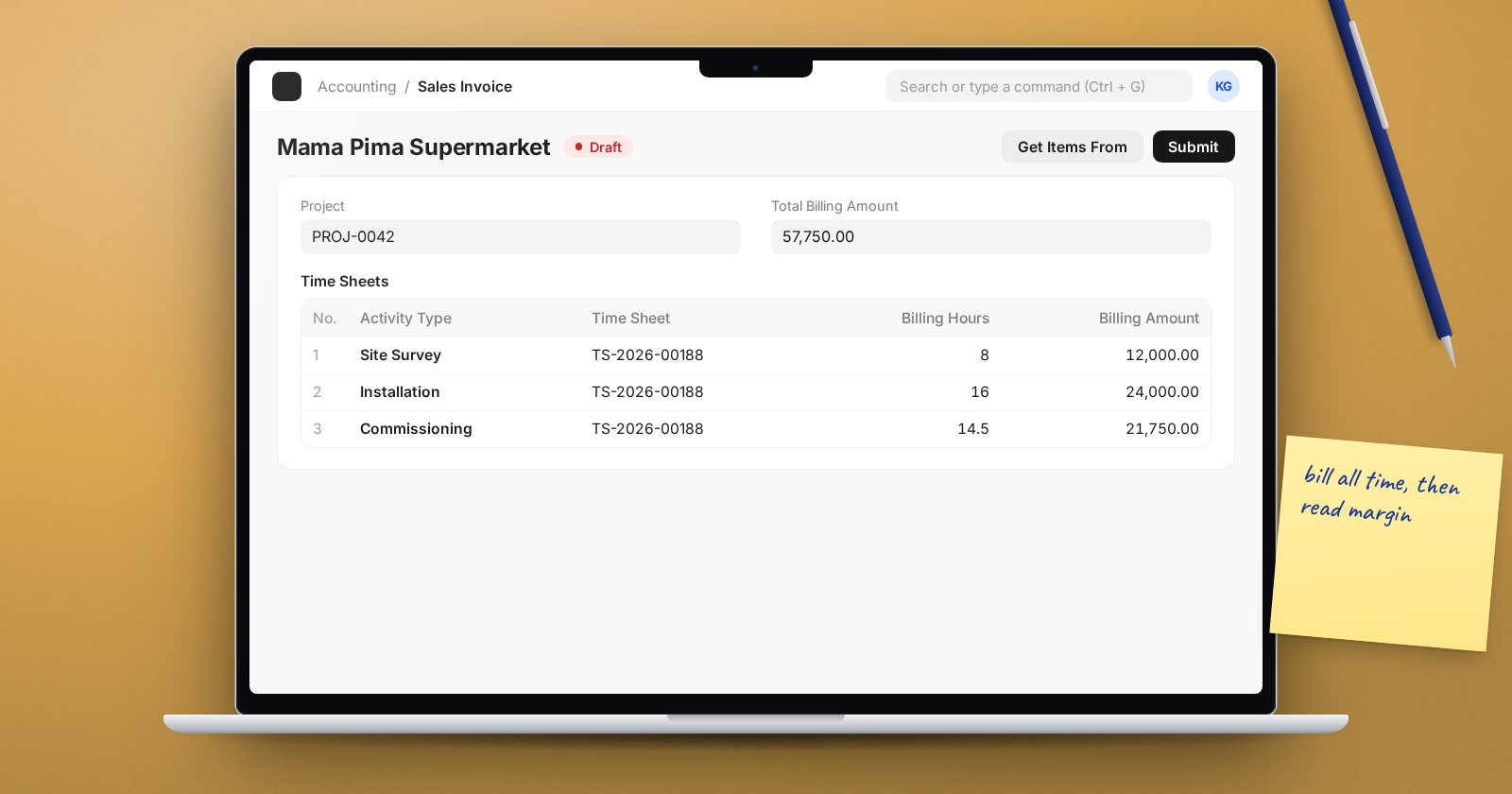
On a submitted timesheet with billable hours not yet billed, click Create Sales Invoice. ERPNext asks for the item to bill (and the customer, if needed) and creates an invoice with the timesheet linked. Good for one timesheet at a time.
From the sales invoice
On a new Sales Invoice, use Get Items From > Timesheet. The Fetch Timesheet dialog lets you filter by date range, project and item, then Get Timesheets pulls in the billable rows. Good for monthly billing of a client across several staff.
Automatically by project
In Projects Settings, tick Fetch Timesheet in Sales Invoice. When an invoice is saved with a Project set and no timesheets yet, ERPNext adds that project's unbilled timesheet data.
In every case, once the invoice is submitted, the timesheet's Total Billed Hours, Total Billed Amount and % Amount Billed update, and its status becomes Partially Billed or Billed. The project fetch only picks up submitted, billable rows that are not yet on an invoice.
Reading project profit
Each Project keeps a costing and billing summary:
- Total Costing Amount (via Timesheet) - cost of submitted time.
- Total Expense Claim (via Expense Claims) - sanctioned claims tagged to the project (added by HRMS).
- Total Purchase Cost (via Purchase Invoice) - purchases charged to the project.
- Total Consumed Material Cost (via Stock Entry) - stock issued to the project.
- Total Billable Amount (via Timesheet) - the value of billable time.
- Total Billed Amount (via Sales Invoice) - what has actually been invoiced.
Gross Margin is total billed amount minus the four cost lines. Gross Margin % is that margin over the billed amount.
If the figures look stale, use Actions > Update Costing and Billing on the project.
What the margin does not tell you
Read it with care:
- It uses billed revenue, not earned revenue. A project with plenty of unbilled time can show a loss that is really a billing delay. Compare Total Billable Amount with Total Billed Amount.
- Time cost is only as good as the costing rates. Out-of-date rates give out-of-date margins.
- Costs that are not tagged to the project are not counted. Every purchase invoice, expense claim and stock issue for the project needs the project set on it.
- Overheads not booked to the project are excluded by design. This is a gross margin, not net profit.
The Project Profitability report
HRMS also has a Project Profitability report that compares billed amounts with a share of salary cost. It only includes timesheets that appear on both a submitted sales invoice and a submitted salary slip, so it suits businesses that pay staff through timesheet-based salary slips. If yours does not, rely on the project's own margin fields and accounting reports by project.
A monthly close for projects
- Make sure all time is submitted.
- Bill all billable time with one of the methods above.
- Check that costs are tagged to projects.
- Update costing and billing, then review gross margin for every active project.
Try it
Log billable time on a test project, bill half of it, then compare Total Billable Amount and Total Billed Amount on the project. Bill the rest and watch the gross margin move.
Project billing and profitability are covered in the Projects, Timesheets & Billing course.
